What's New
October 2026
API Discovery deprecation
API Discovery section is deprecated and hidden in the Portal.
Reflect Rule
The Rules Wizard has a new Reflect rule type.
ARMR 2.13
The Portal now supports ARMR 2.13, and new rules use it by default. To create a rule for an older ARMR version, click the ARMR compatibility link below the Rule type drop-down.
SQL Injection: Permitted Databases and Tainted Query Parts
The SQL Injection rule can now permit specific databases by hostname, FQDN, or IP address. SQL injection events now show which parts of the query were tainted: go to Events > Advanced Search and click the SQL taint analysis button in the Details column of an SQL injection event. See SQL taint analysis.


Path Traversal: Allow Action and Paths
The Path Traversal rule has a new Allow action and an optional list of the files and paths covered by the rule, both available with ARMR 2.13. All payload sources are selected by default.
File Path Input
In the FileSystem read/write and Path Traversal rules, file paths are entered in a text area and listed in a table, where they can be edited or deleted. Paths with spaces, such as C:\Program Files\App, are accepted.
Event Details Column
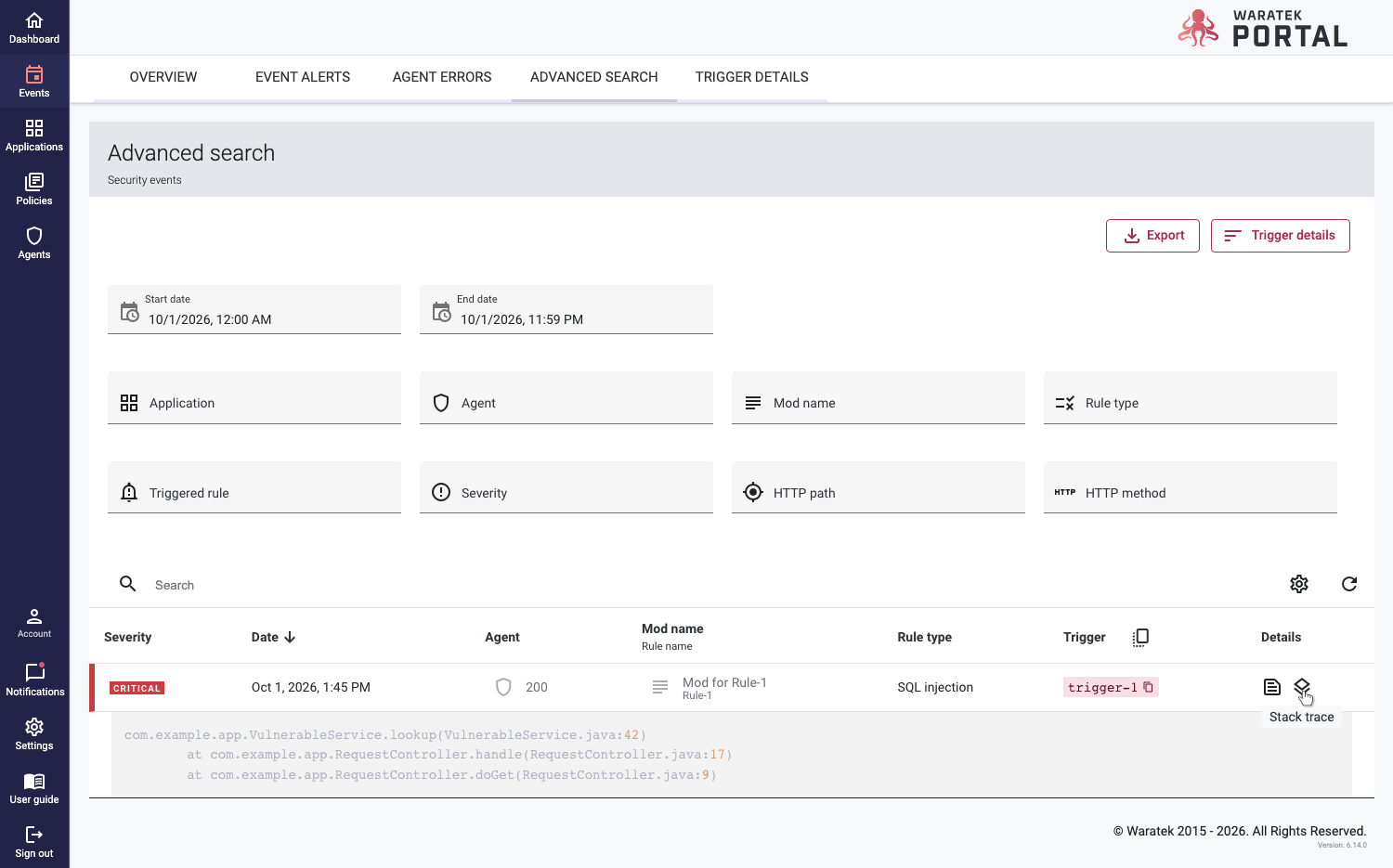
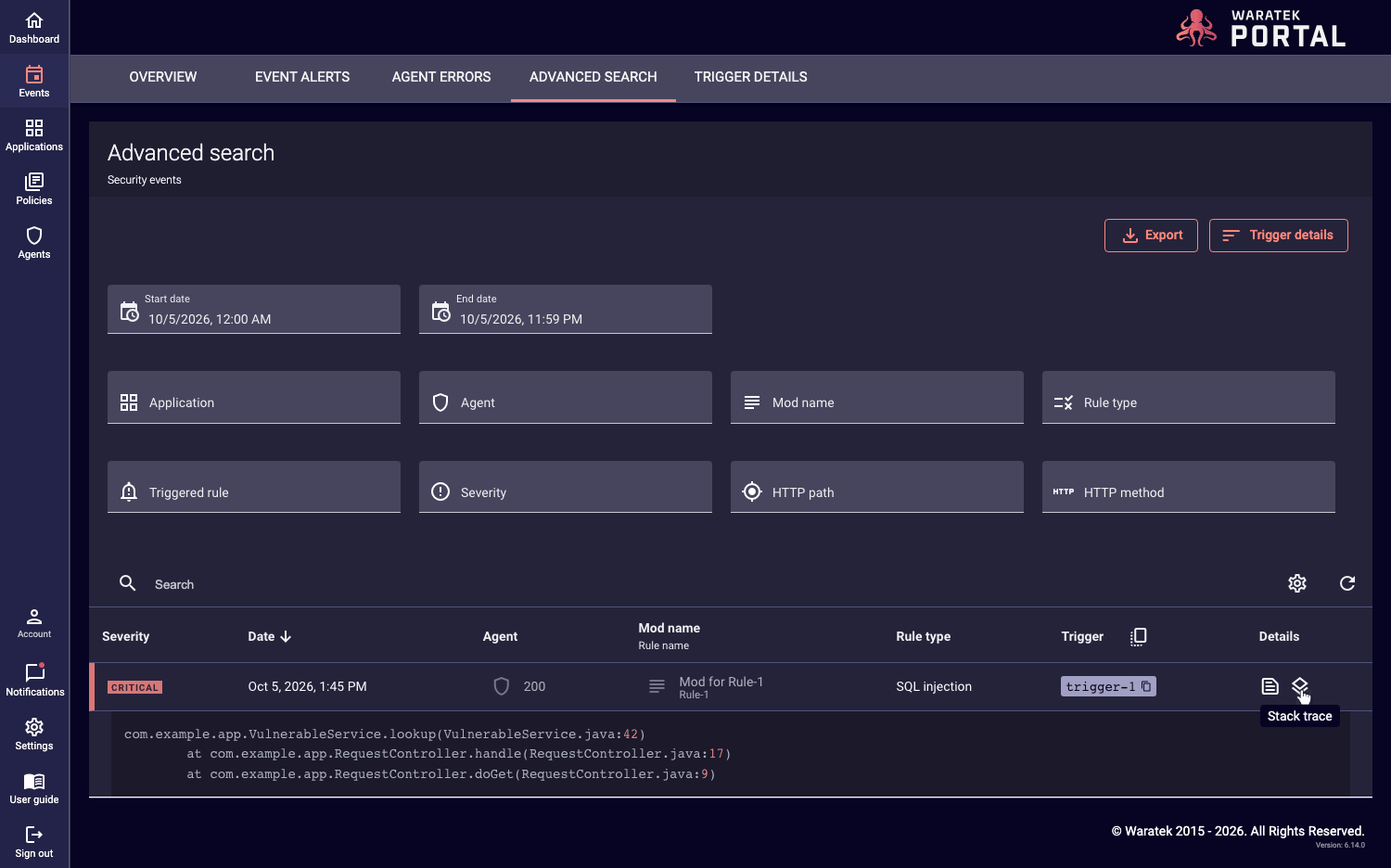
In Events > Advanced Search, the table has a Details column with the Details and Stack Trace buttons.
Portal Version in the Footer
The Portal version is shown in the footer.
July 2026
Rules Wizard Usability Improvements
The rule creation and editing forms have been refreshed across all rule types in the Rules Wizard, with clearer field labels, consistent validation, and a confirmation prompt before discarding unsaved changes.
Clearer Agent Onboarding Errors
Agents that fail to connect due to an invalid, expired, or disabled access/secret key now surface a specific reason, making it easier to diagnose issues when onboarding an Agent.
March 2026
SAML Group Mapping
You can now map groups from your SAML Identity Provider directly to Portal Teams and Roles. Once configured, a user's team and role memberships are set automatically from their IdP group membership on login, removing the need to assign these manually per user. See SAML Group Mapping to configure a Groups Attribute and add team/role mappings.
ARMR 2.12
The Portal now supports ARMR 2.12, which includes more pragmatic default values for the XXE rule.
CSRF Synchronized Tokens Rule: HTTP Endpoint Field
The CSRF Synchronized Tokens rule now includes an HTTP Endpoint field, the same as the existing Same-Origin rule. This lets you scope the rule to specific relative paths instead of applying it to every endpoint.
October 2025
Tenable Integration Improvements
Improved logging and error handling for the Tenable integration, making it easier to diagnose issues with vulnerability report generation.
June 2025
Agent Activity Report
The Agent report has been rewritten as an Activity Report, giving a clearer view of Agent activity over time.
Events Overview: Improved Date Range Filtering
The date range filter on the Events Overview page has been made easier to use.
Export Events With All Data
Exporting events to CSV now includes all available event data.
October 2024
Tenable Integration Bug Fix
Tenable Integration Tool issue fixed on Waratek Portal (MC-4888)
August 2024
RBAC Teams
This feature extends the existing Role Based Access Control (RBAC) feature, adding the ability to group users and provide custom access control to Policies, Applications, Agents and Events.
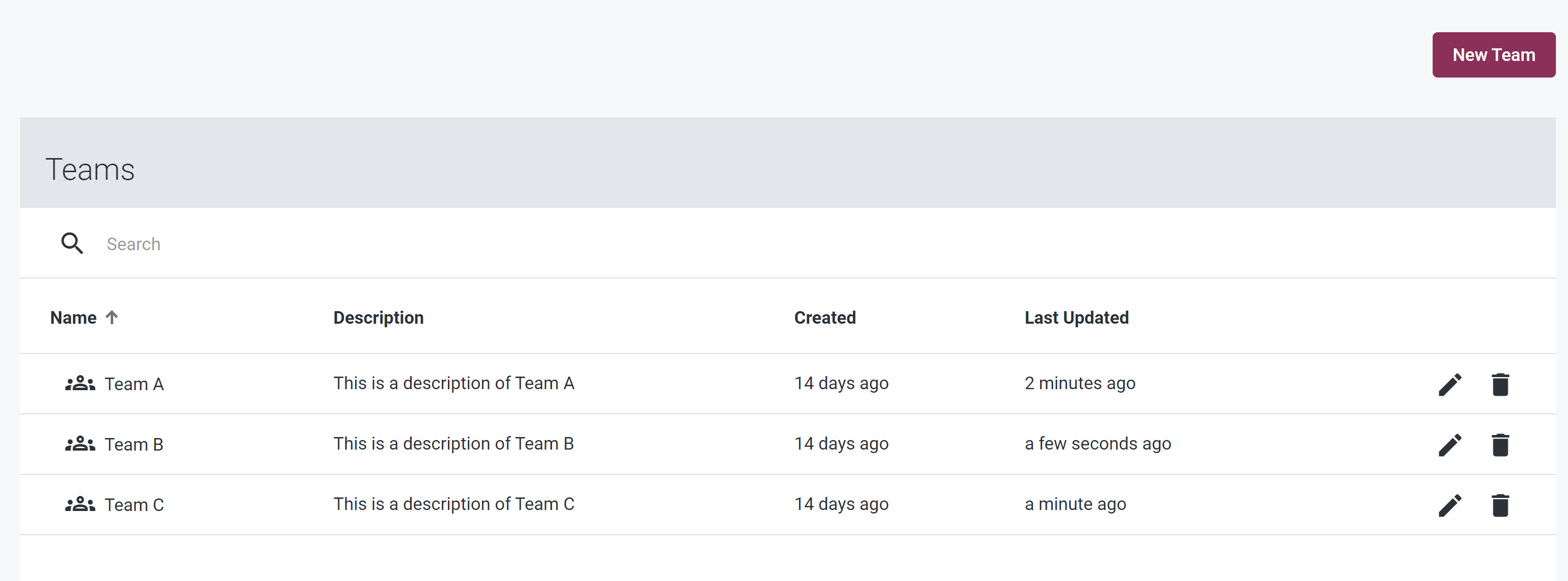
In the Settings section, there is a new page called Teams. Here you can create/edit/delete teams:
By clicking on a team name, you can navigate to a Team Page, where you can add/edit/remove users from the team. Each user has a Team Role of Viewer or Editor:
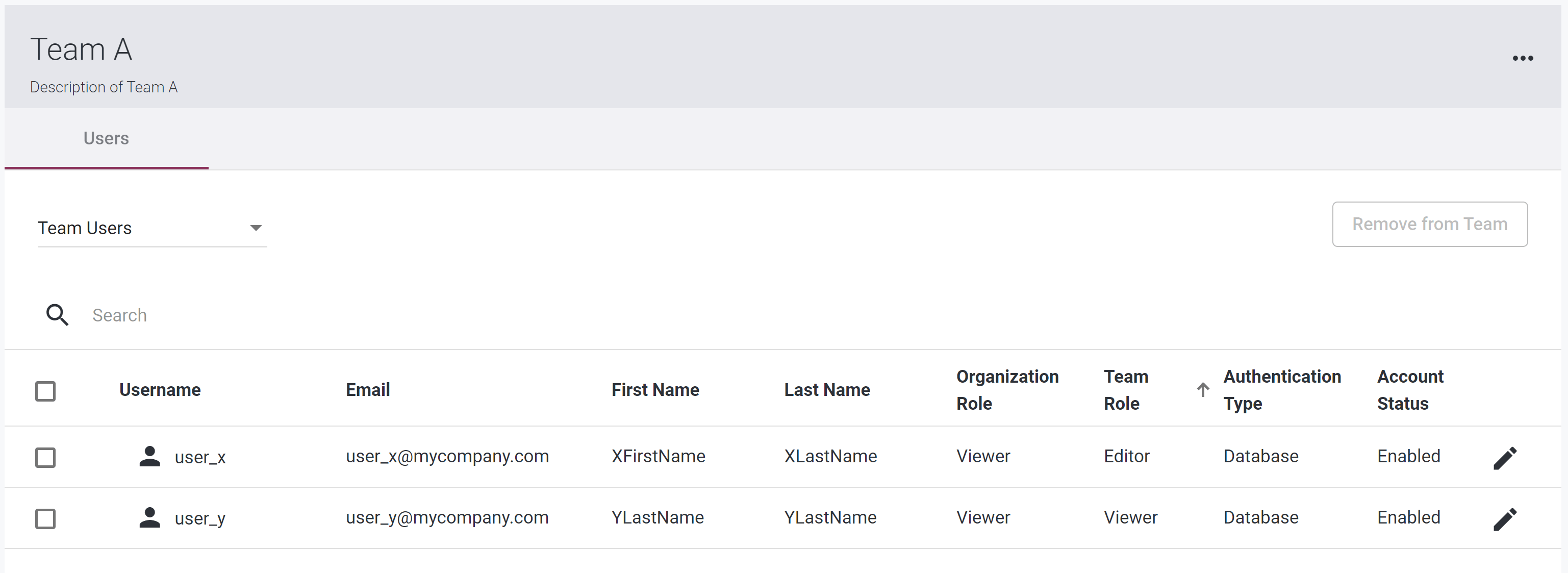
Policies and Applications can be assigned to a Team to control access.
There is a new organizational role of “None”. This is provided for use in conjunction with Teams, to restrict user access to Applications, Policies, Agents and Events belonging to their Teams only.
Known Issues
- Tenable Integration Tool is currently broken on Waratek Portal (MC-4888)
May 2024
ARMR 2.10: Support for CIDR notation in the Socket Accept and Socket Connect Rules
We are now supporting ARMR 2.10 in the Portal. ARMR 2.10 supports a CIDR notation in creating ARMR Socket Accept and Socket Connect rules. Read more about that in the Rules Wizard section of the User Guide.
Theme
In the account settings page, there is a new section called Theme. This allows the user to select a theme based on their preferences by selecting one of the three option such as System, Light and Dark. The selected theme will be applied and saved automatically. The theme option System is selected by default.

Feb 2024
Single Sign On
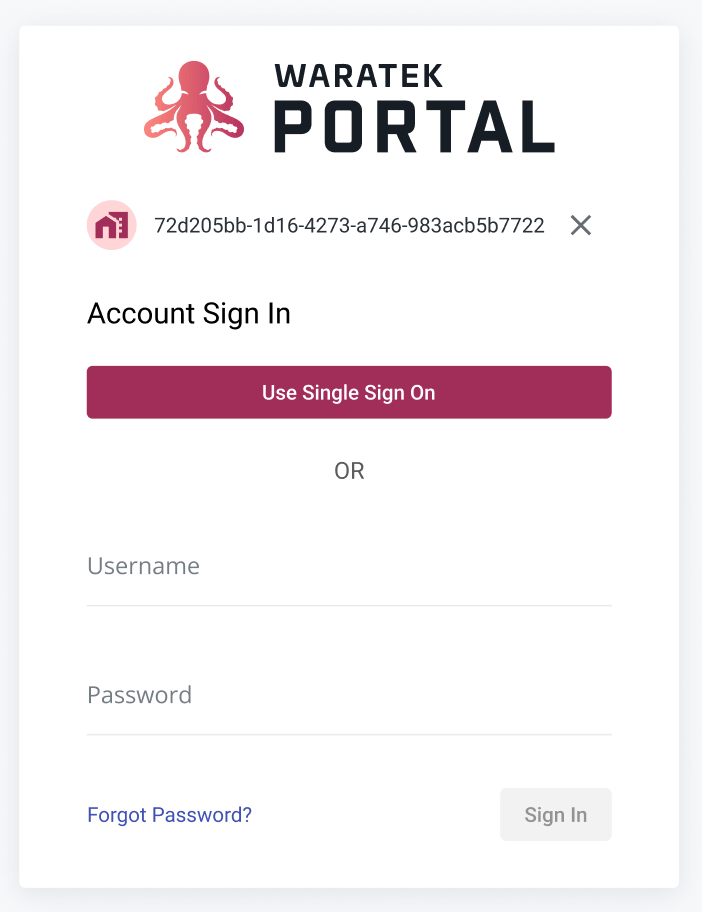
On the login page, there is a new button called Use Single Sign On, which allows users to login using your organization's SAML identity provider. To enable this feature, you must first add a provider using the SAML Configuration Page (see next section).
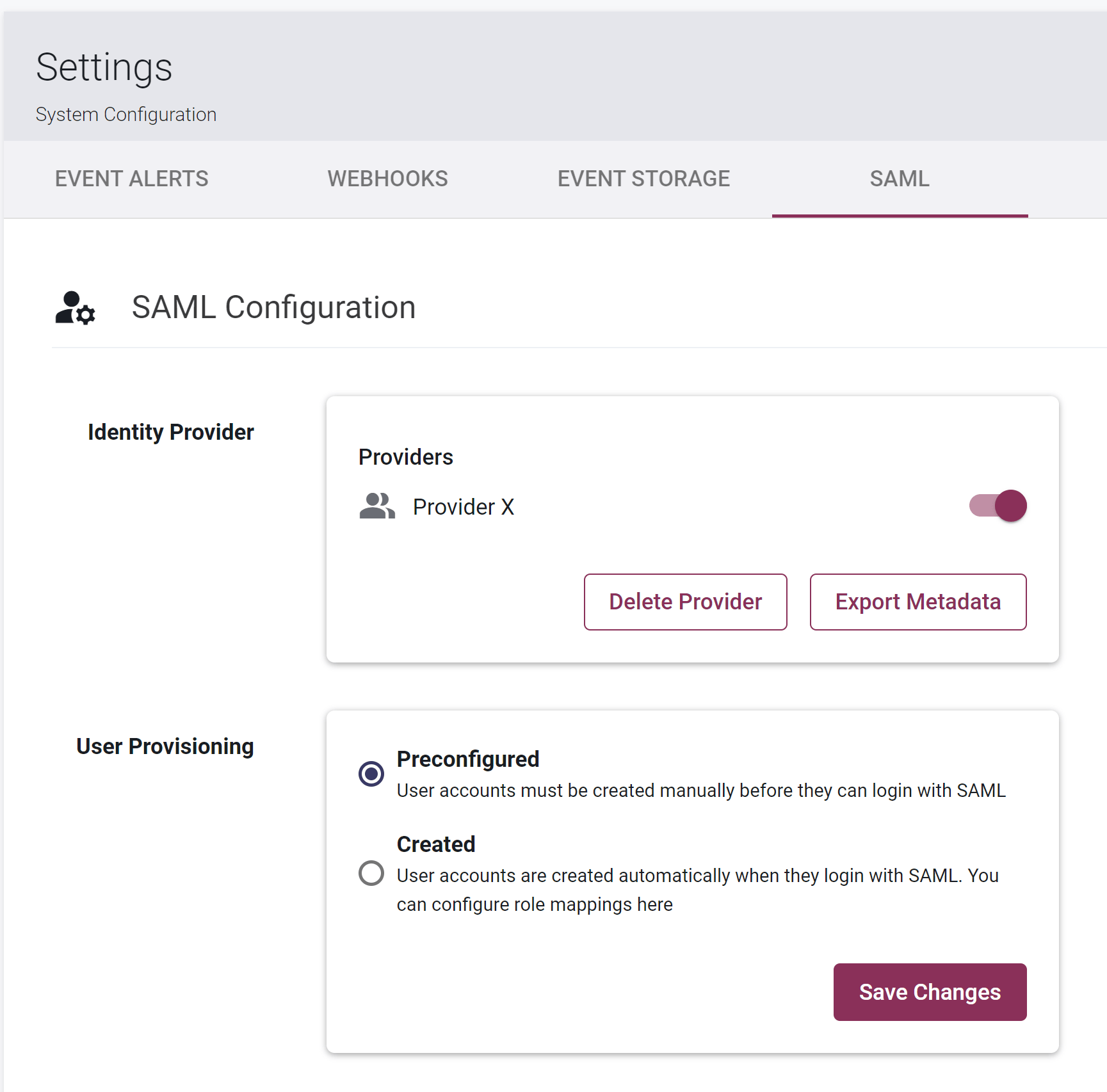
SAML Configuration Page
In the System Settings dropdown, there is a new tab called SAML, which allows you to configure your SAML settings, including adding, deleting, or disabling a provider:
July 2023
User Guide Documentation
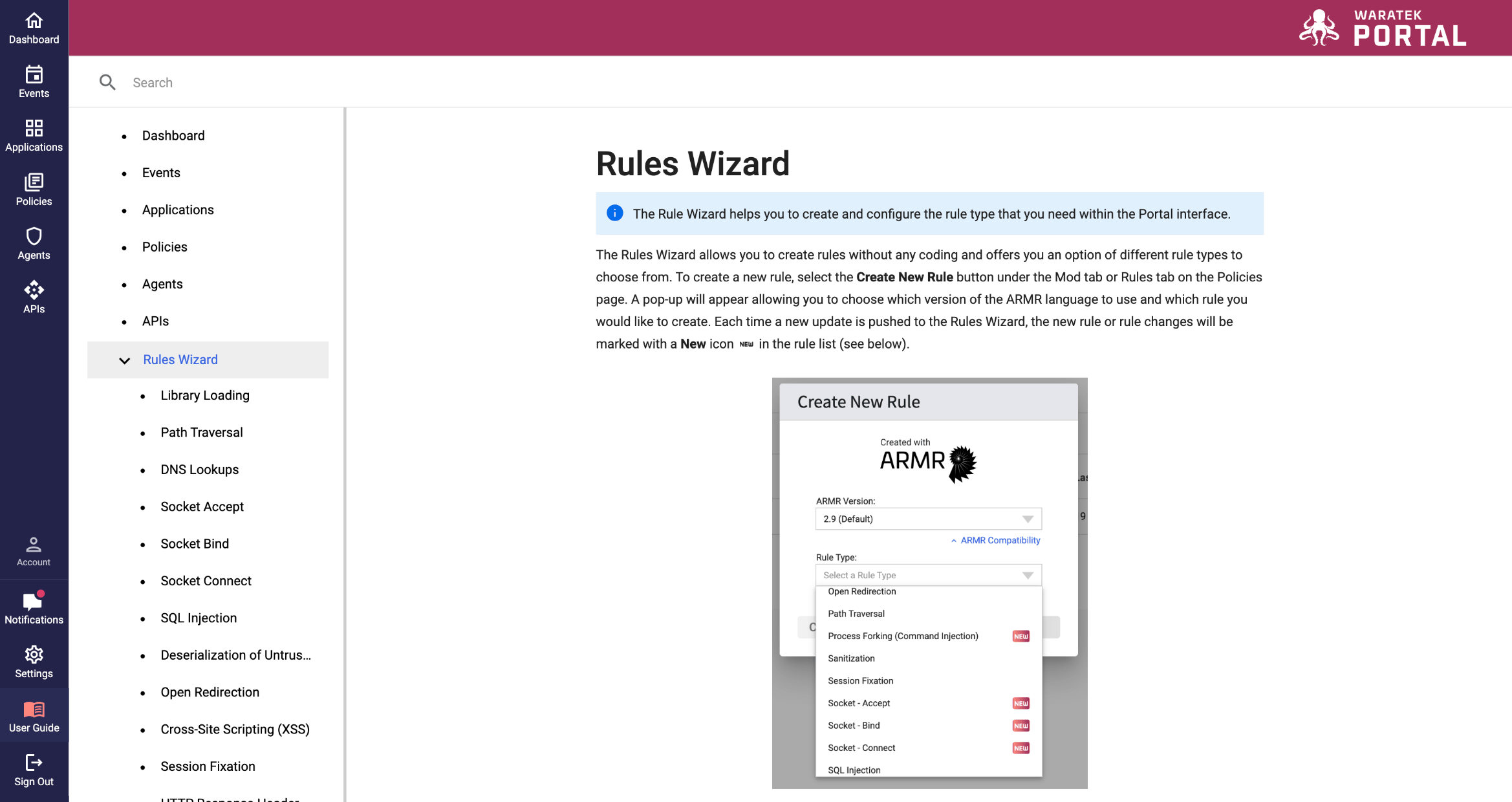
Our User Guide is now integrated into the Portal, making it easier for you to access the support documentation and information that you need in one place.
May 2023
SideNav Menu
Our new side navigation menu makes the Portal easier to navigate and provides more space for future features and functionality.

API Graph
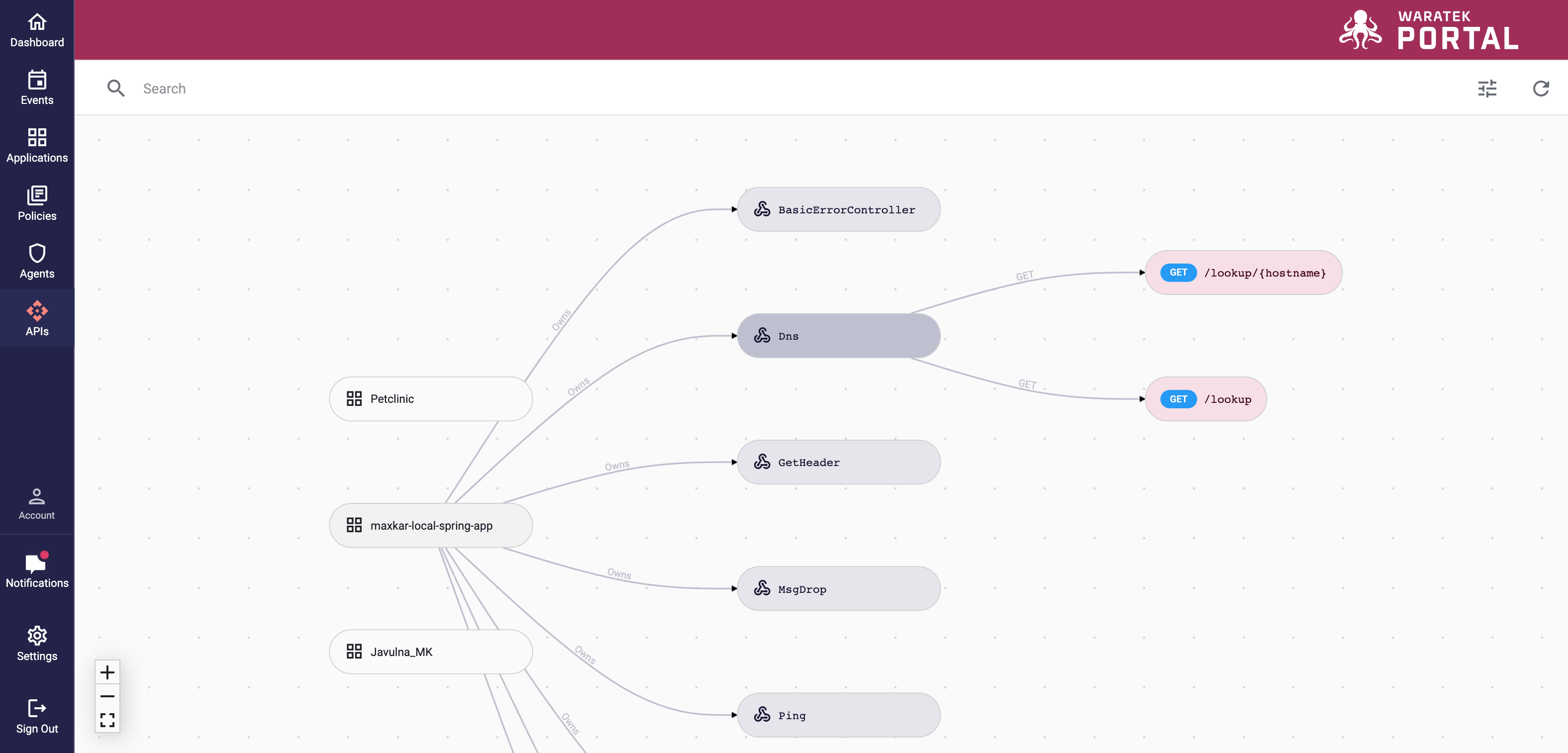
We have added an APIs page to the Portal; here you can drill down from application to controller to individual endpoint and open a detailed side panel on any of the endpoints you choose.
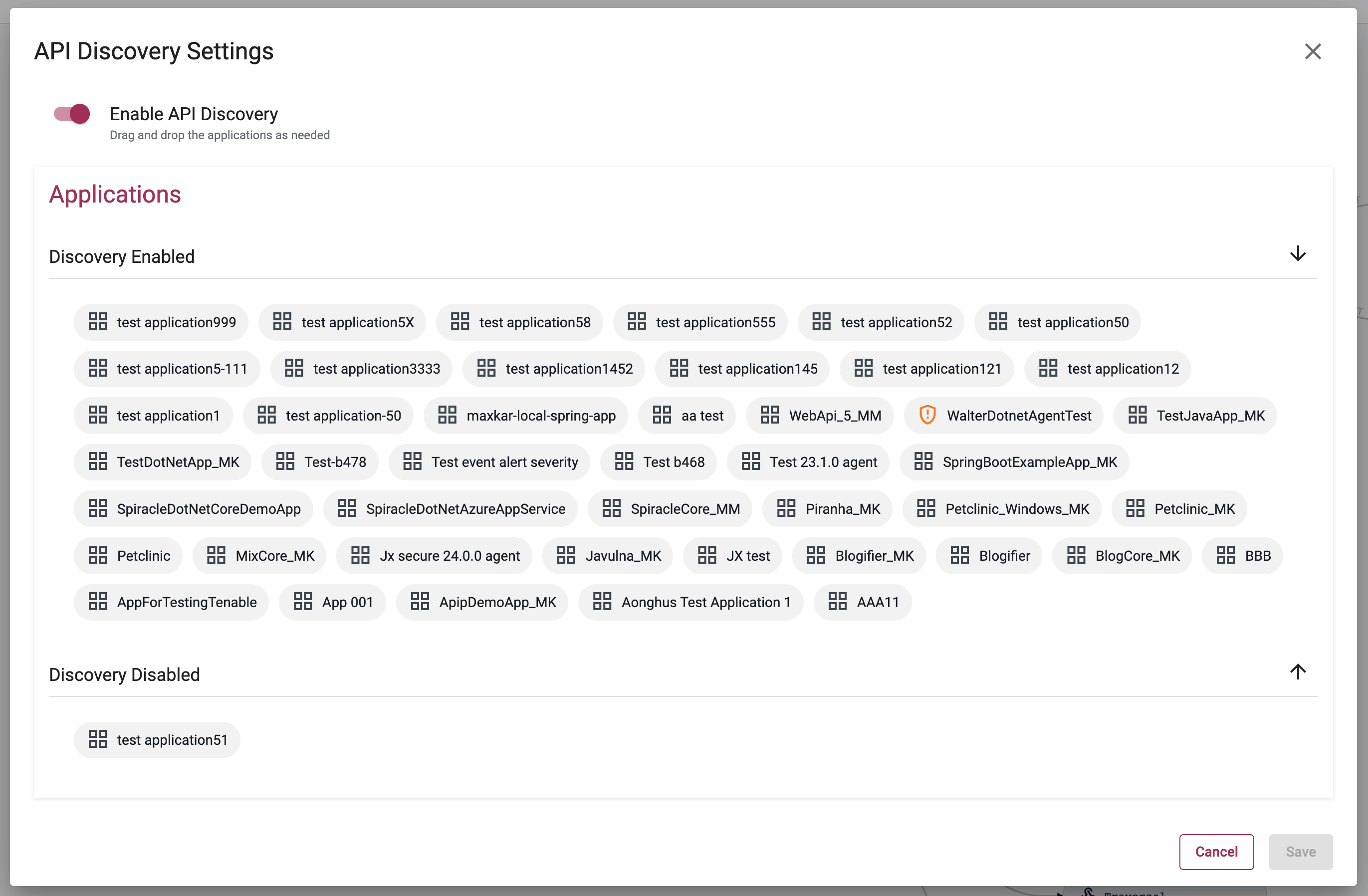
API Discovery Settings
A new API Discovery Settings modal allows you to turn on/off API Discovery globally. You can also specify which individual applications and agents to include when you turn on discovery.
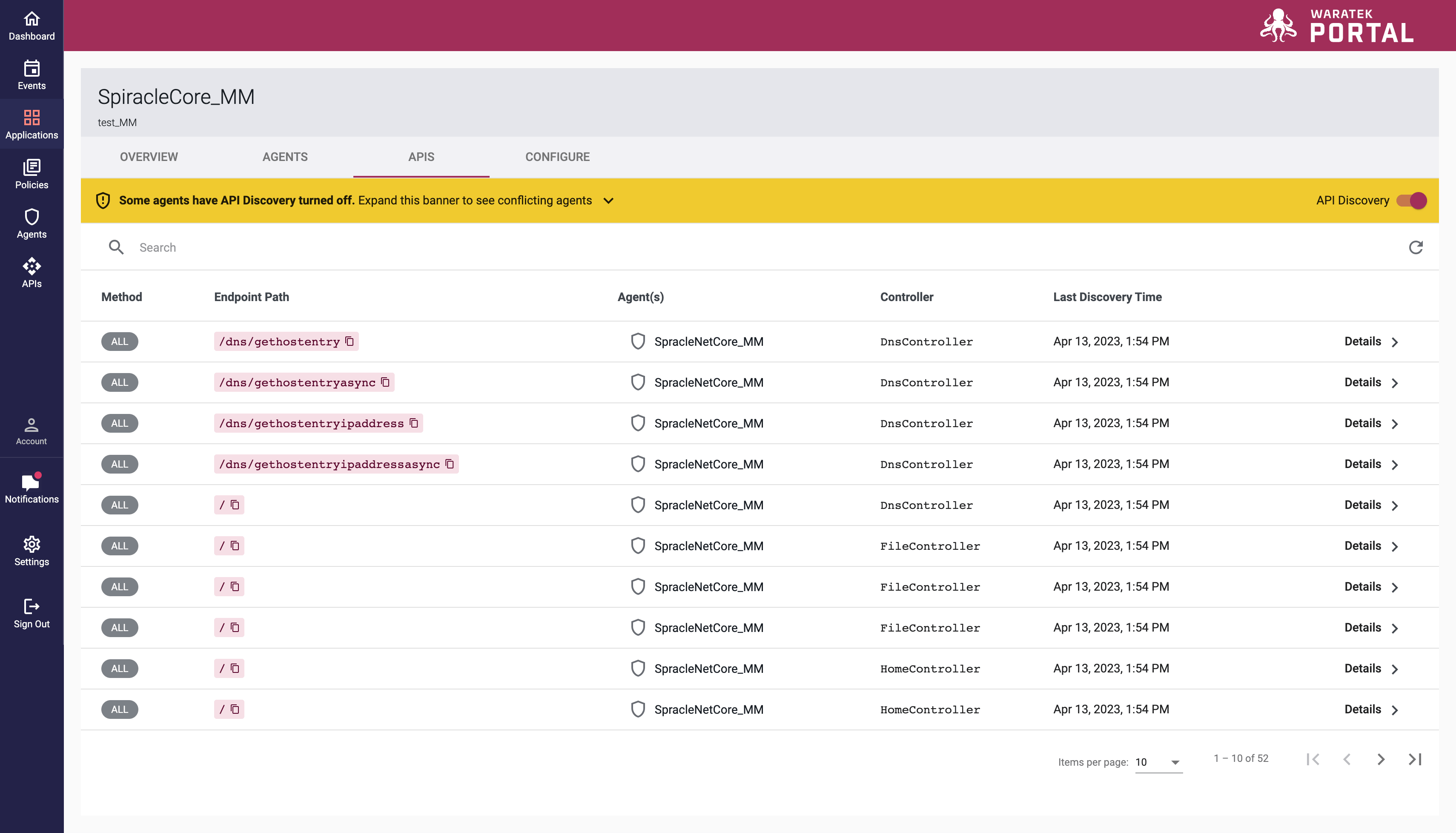
Applications API Table
We have added a new API tab within the Applications page. Here you can see the list of endpoint paths discovered for this application. Any API Discovery Settings issues are flagged in yellow at the top of the table to help you avoid any unseen conflicts in your settings.
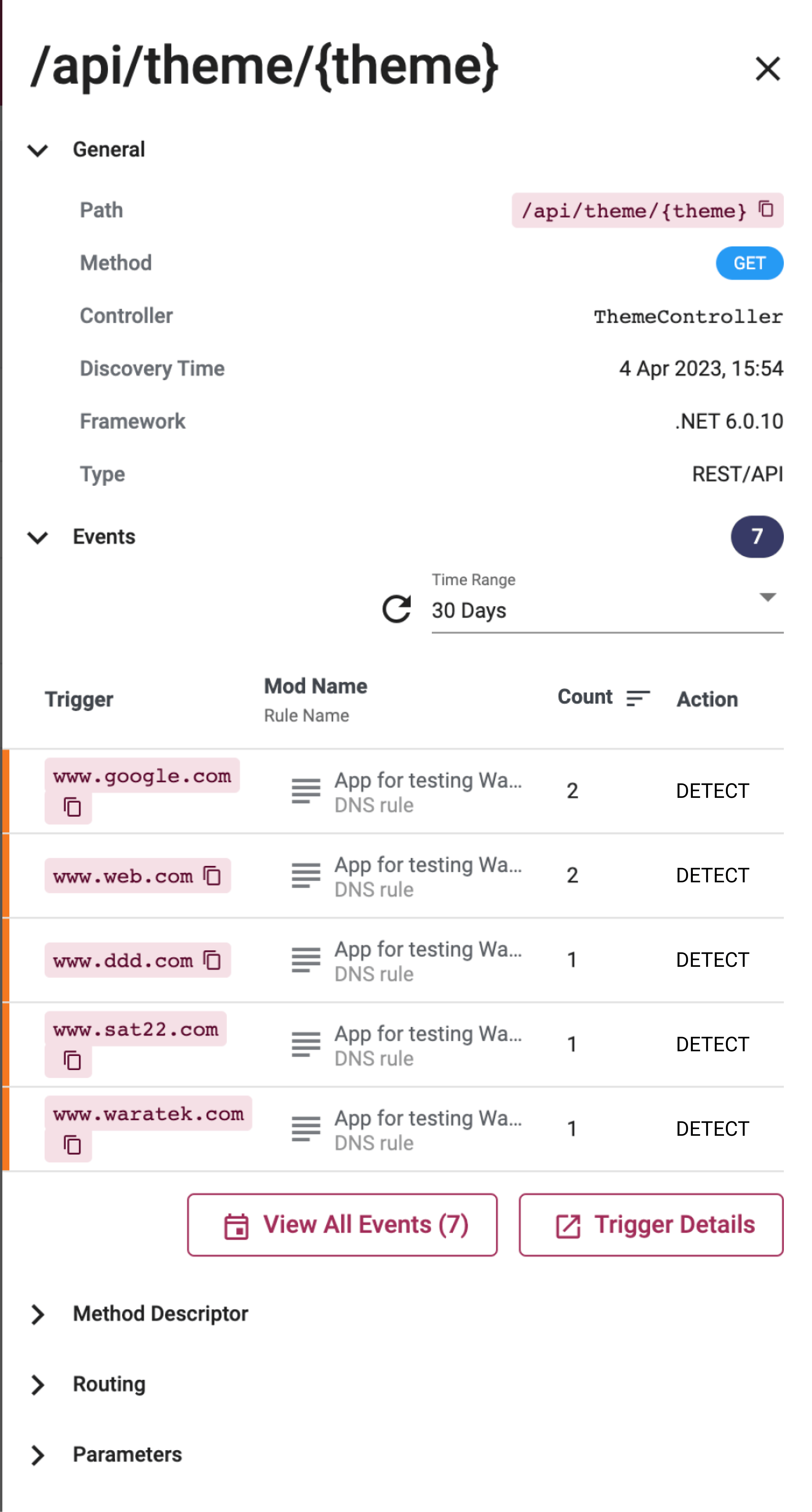
API Endpoint Side Panel
A new sliding side panel appears in both the API Graph and Application API tab screens when you click on any endpoint available. This panel provides more detailed information on the endpoint chosen.
Agent API Card
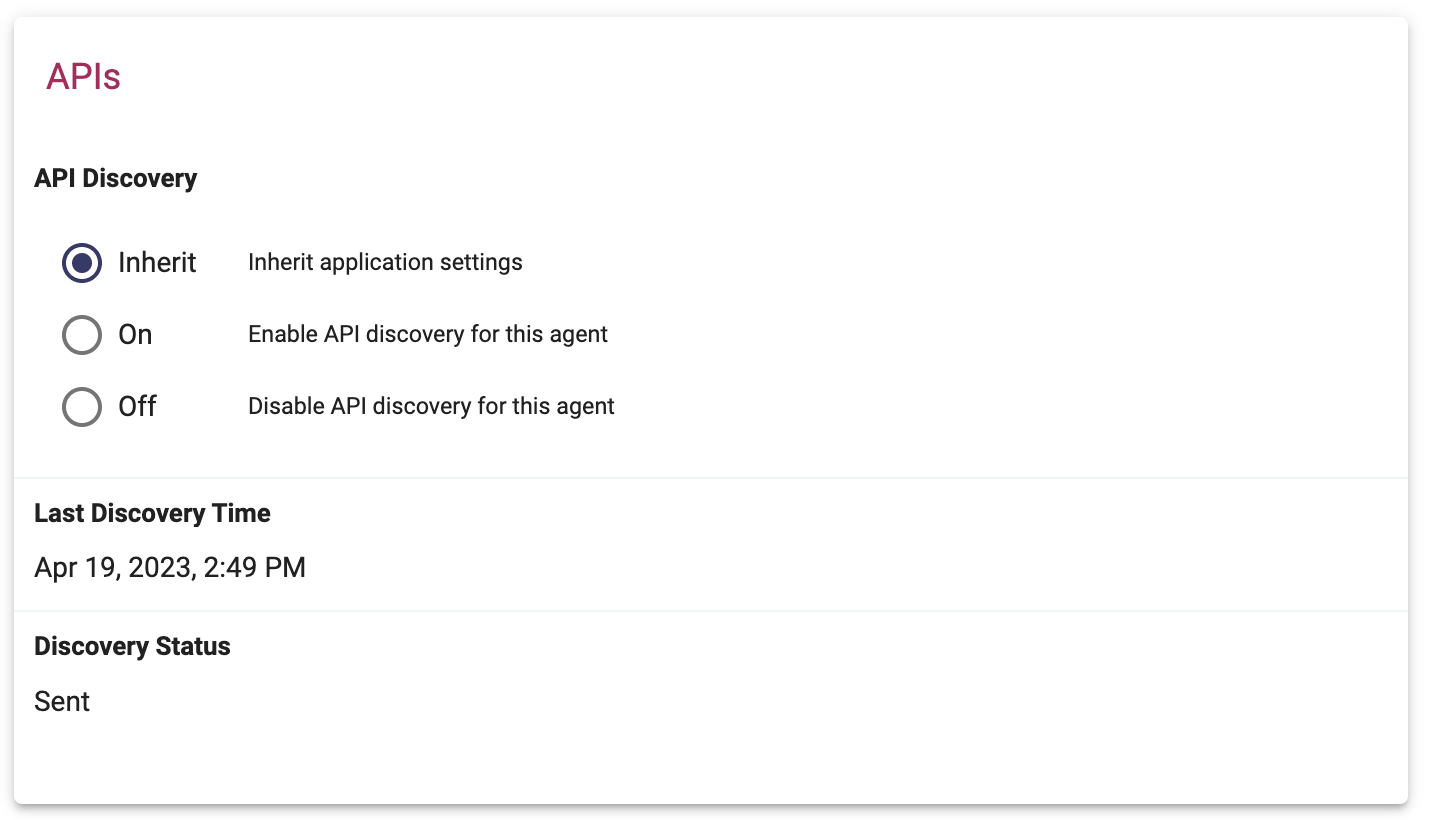
We have included a new API card in the detailed page for every Agent. This cards provides you with a discovery summary and allows you to amend the API Discovery setting of the individual agent.
Dashboard API Summary Cards
We've added two new API cards: the Discovery Card captures the API Discovery status and statistics of the Portal while the Security Card presents the HTTP Events and Endpoints count alongside a bar chart of the top 5 HTTP Events by Endpoint.

Rules Wizard Labels
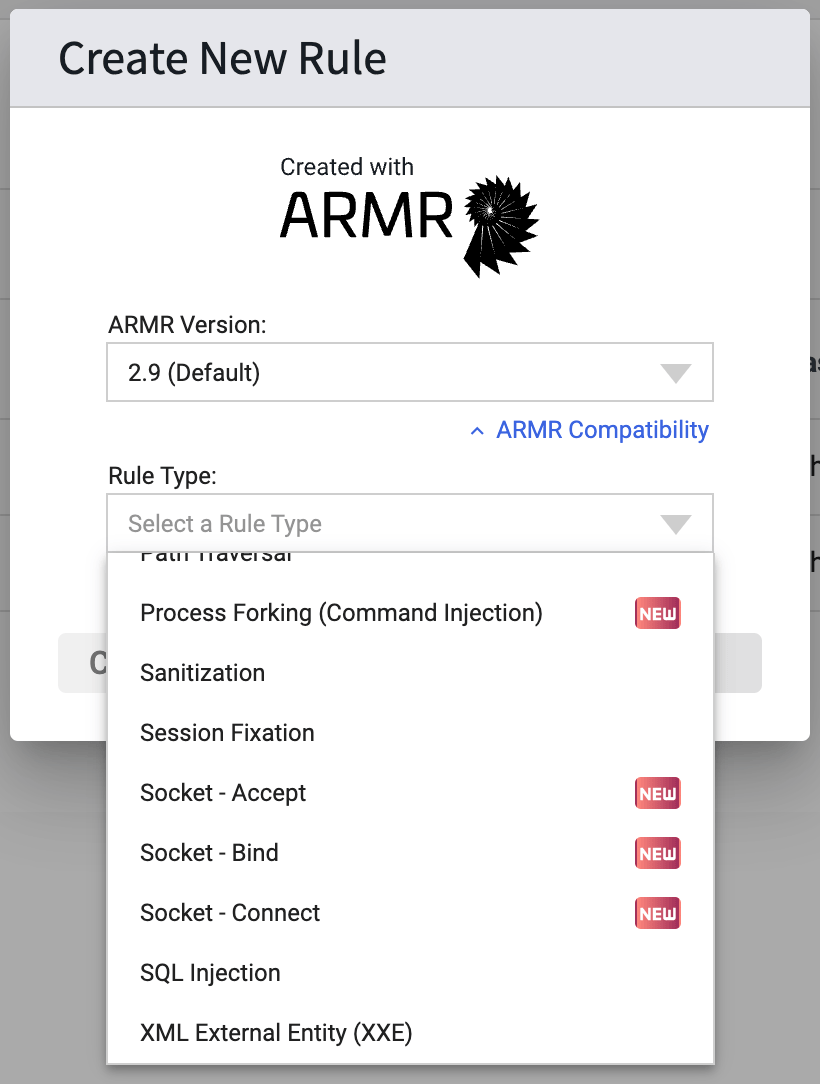
As we continue to provide updates to rules, we'll flag new changes in the Create New Rule list and within the rule modals also.
Rules Wizard API Rules
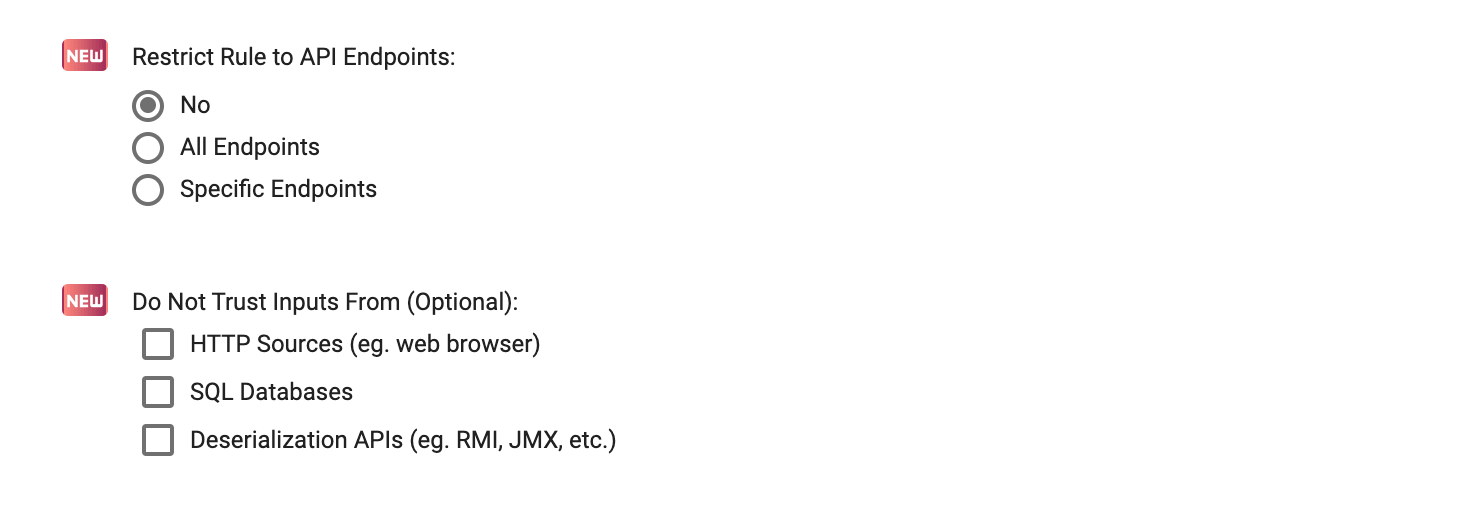
We have updated 6 rules to allow you to restrict these rule types to API Endpoints if desired. File Read/Write, Process Forking, DNS Lookups, Socket Accept, Socket Bind, Socket Connect. Some of these rules now also allow you to choose the sources that the rule will treat as untrusted.
Column Editor & New Filters for Advanced Search & Trigger Details Tables
We've added additional filters on both the Advanced Search and Trigger Details pages to help you better refine your search results. These new filters are Application, HTTP Path and HTTP Method.
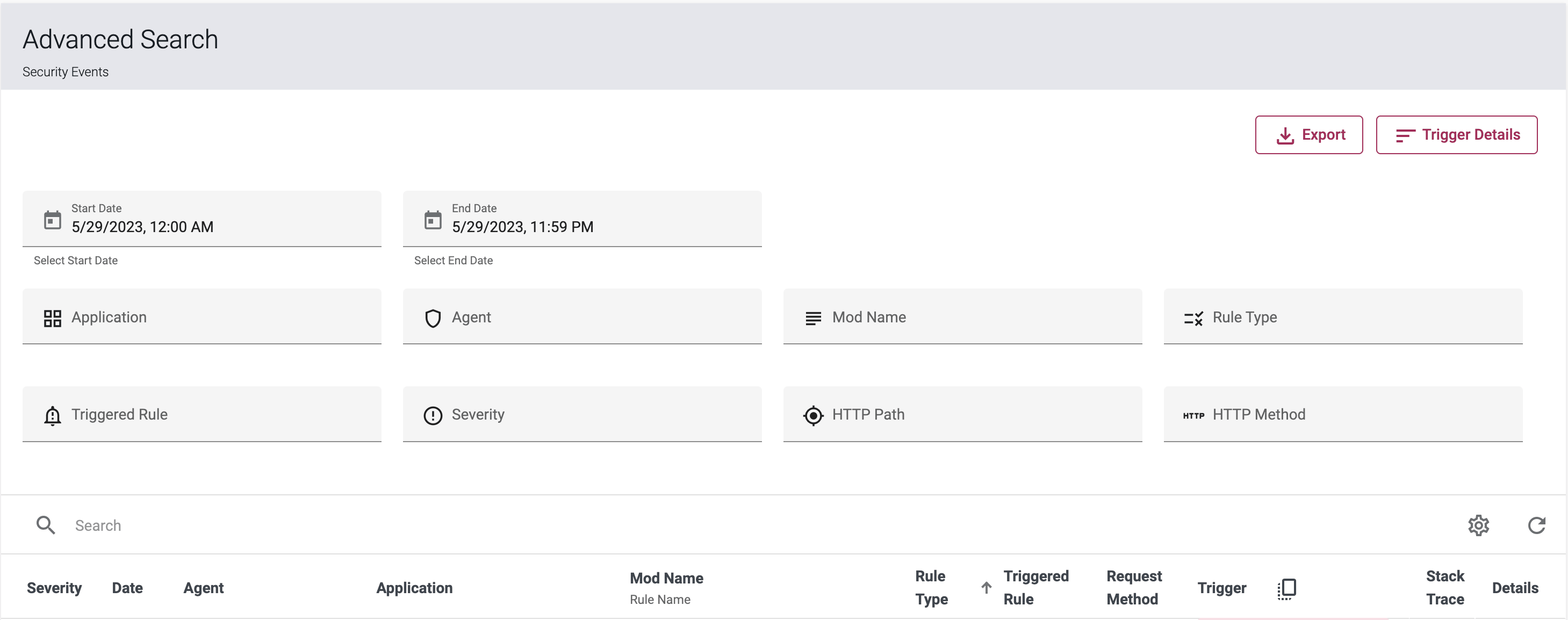
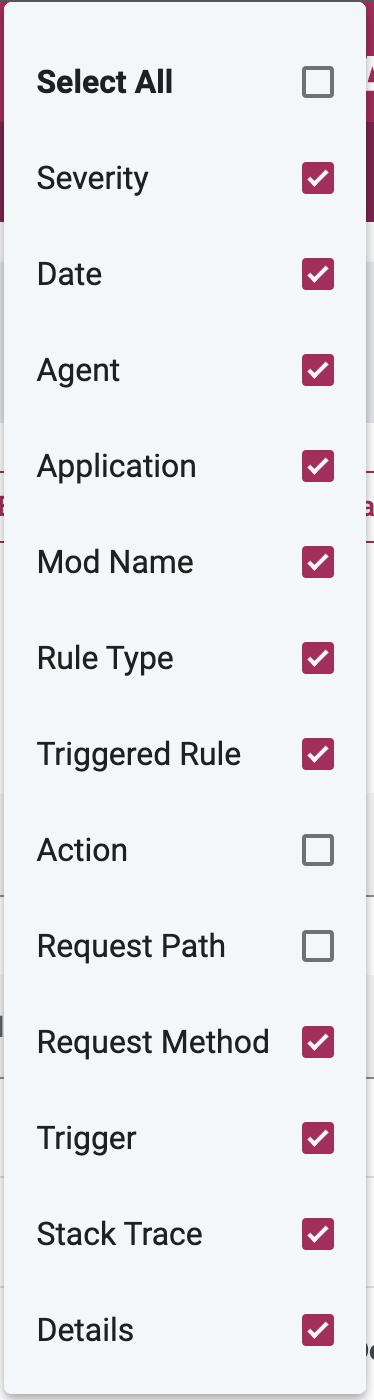
You can also personalize what columns are displayed on the Advanced Search and Trigger Details tables by selecting the settings icon  in the searchbar. A menu dropdown will provide you with a full list of the table columns available for display including four new columns; Application, Action, Request Path and Request Method
Unlinked Mods & Agents on Events Tables
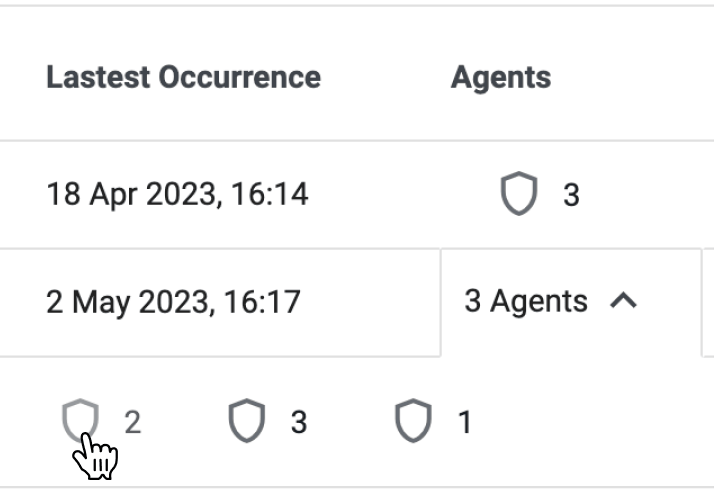
Not every Mod and Agent listed on the Events tables have a page they can link to. In these instances, our tables will present these items as faded text and icon with no hover state.

March 2023
Maintenance Updates
We've established a regular maintenance window and an email notification process to inform you of upcoming planned maintenance work. For live updates on work, please visit https://status.waratek.com/maintenance
Agent Details Page
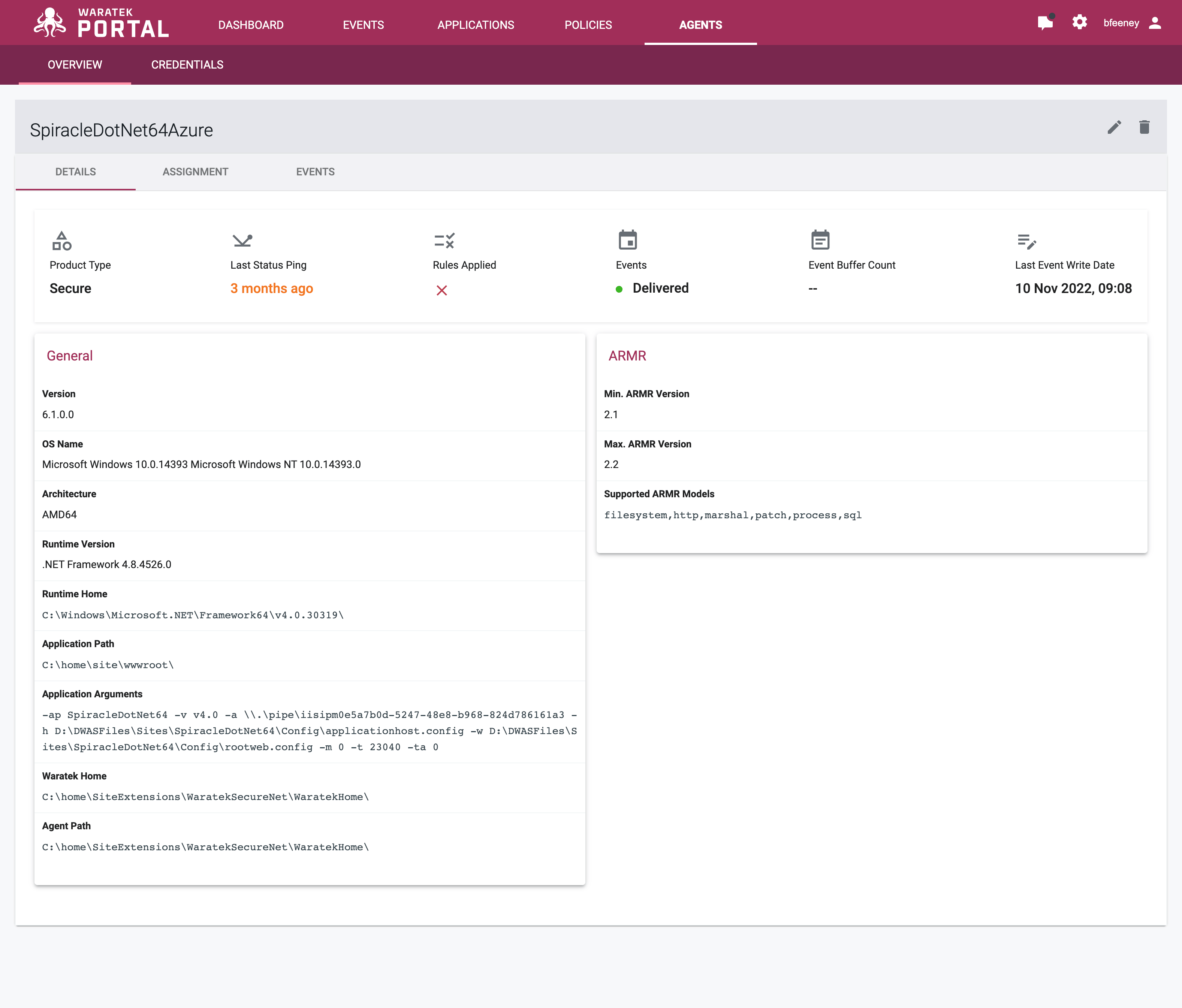
Our Agent Details pages format has been revised and updated to present high level information up front for easy access and visibility
User Role Improvements
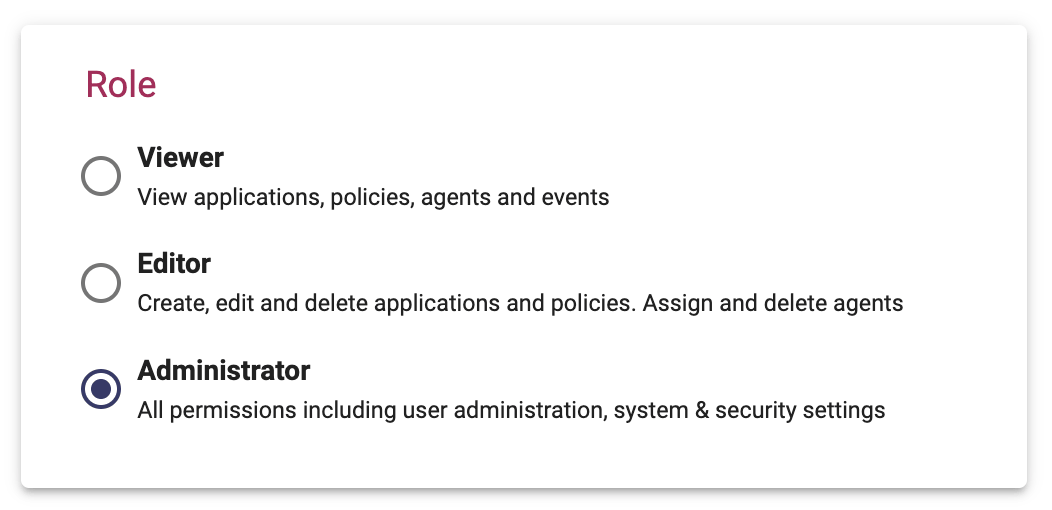
We've updated the user roles available for user accounts within the Portal. You now have better control over what users can see and do.
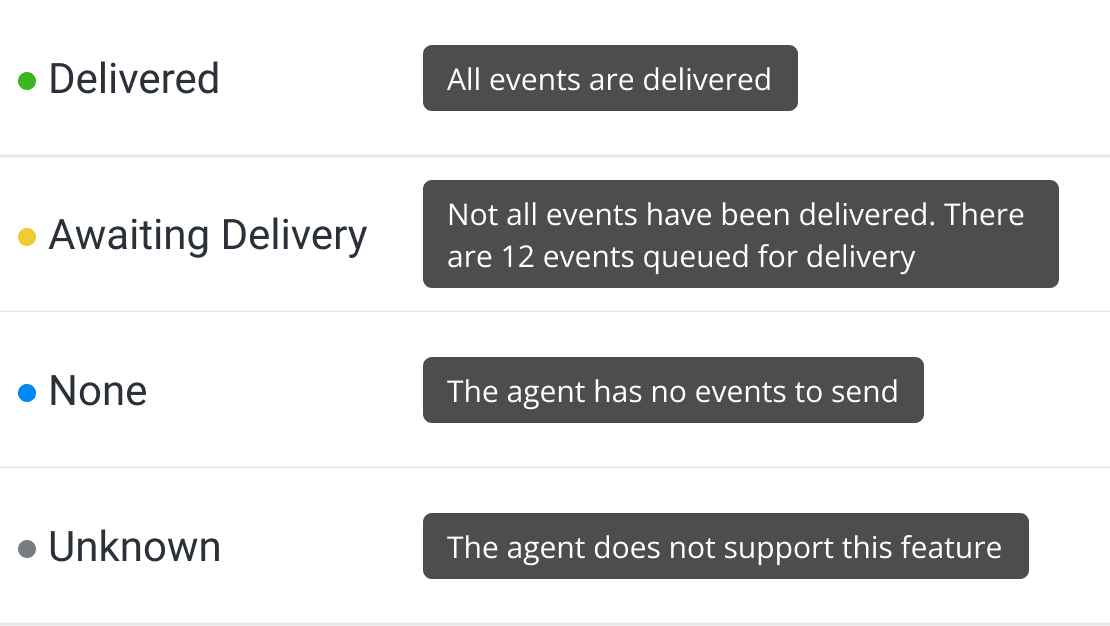
Agent Event Status
We have improved the Event status types listed on the Agent tables to one of four different values:
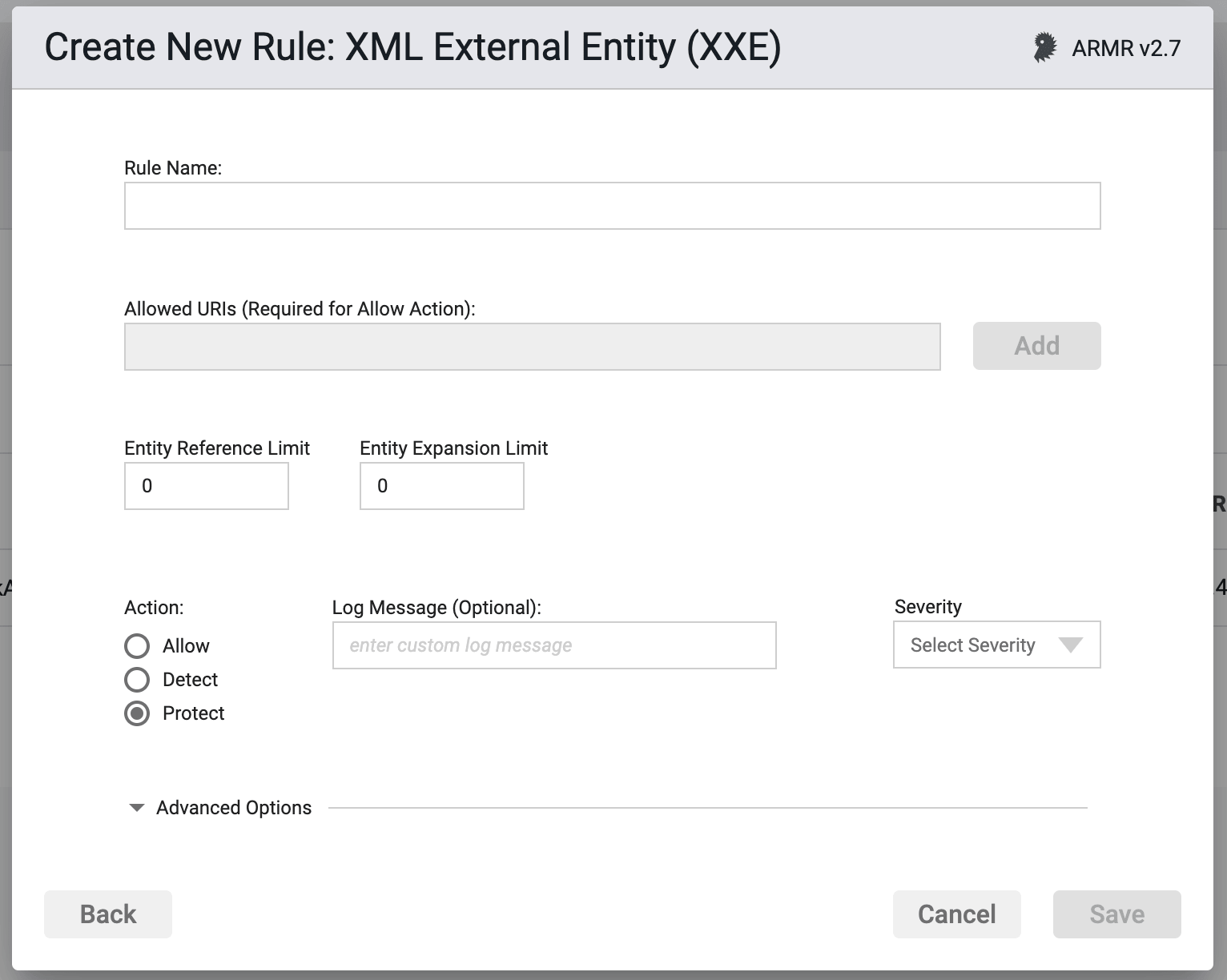
XXE Rule Improvements
We have revised the XXE rule form and removed some redundant interactions and updated the limit field titles for clarity and ease of use.
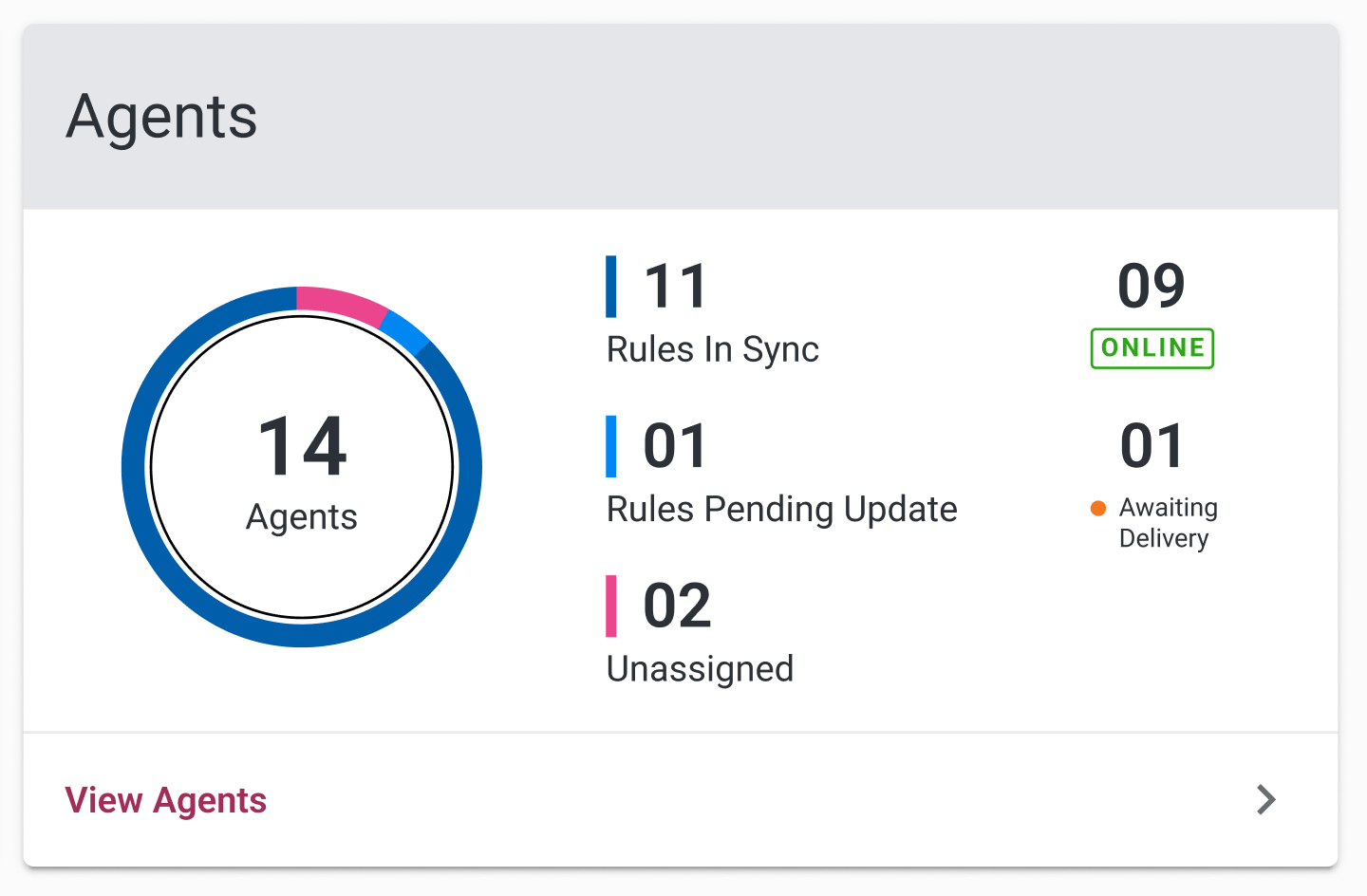
Dashboard - Agents Summary
We've added the number of agents awaiting delivery of events. This will help you see at a glance how many agents are generating events.
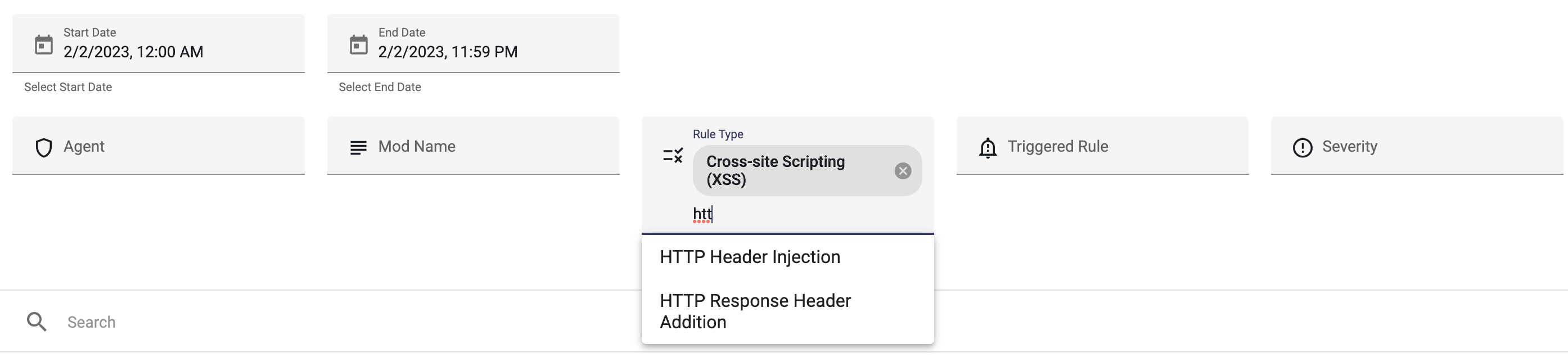
Advanced Search - Filters
We have updated the style and functionality of the filter panel on the Events Advanced Search page. You can now easily search by text or dropdown list and you can all filter options are visible and easily removed as necessary
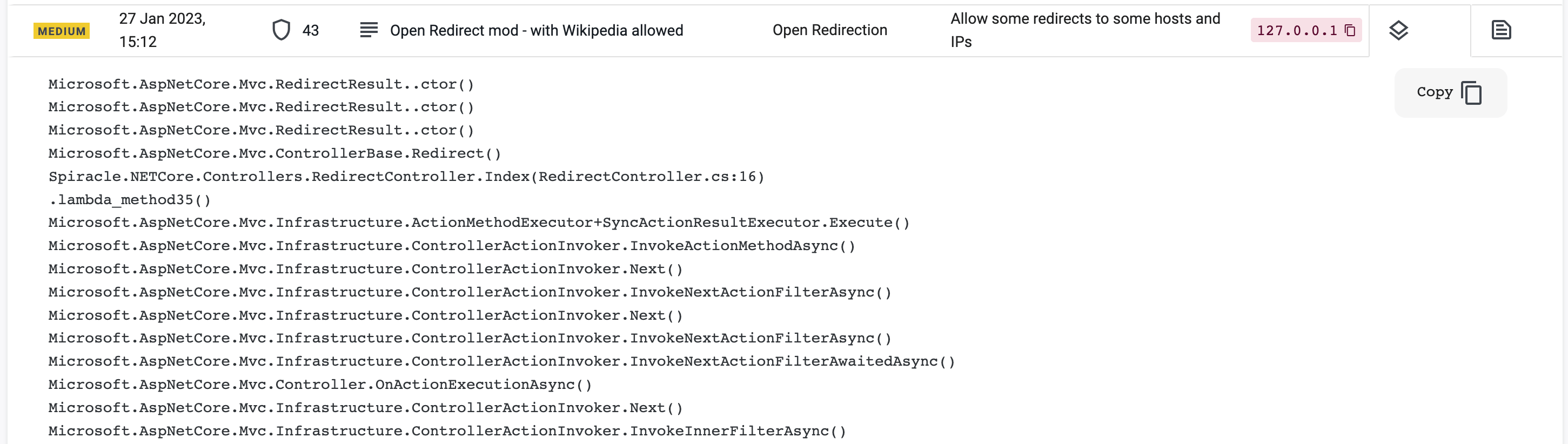
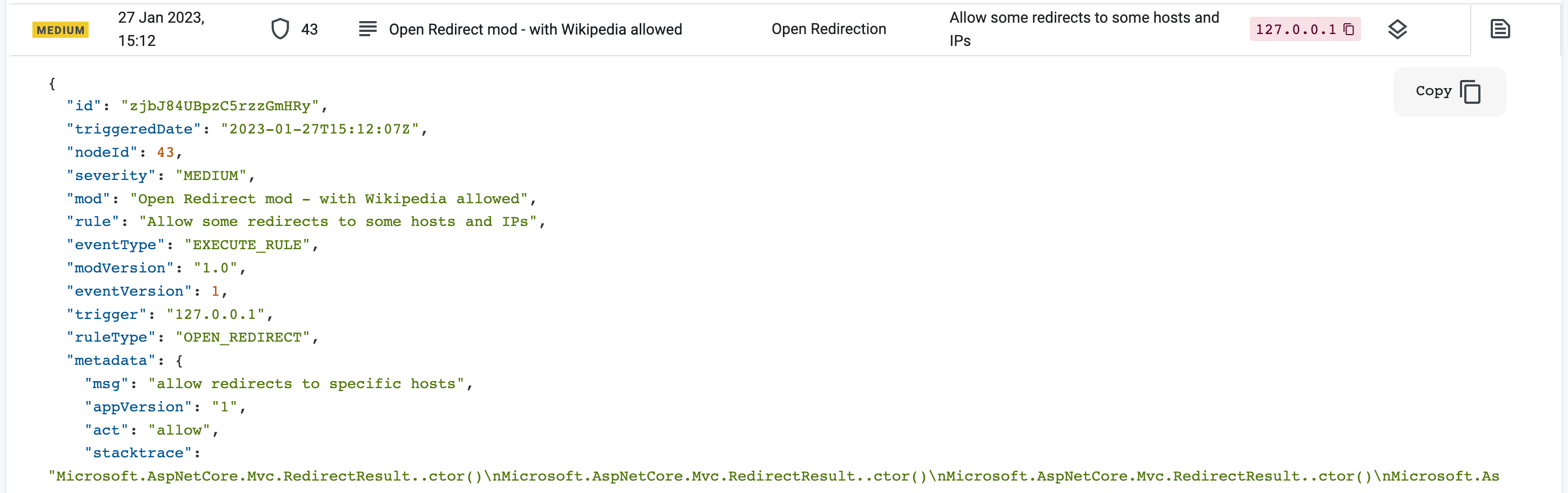
Advanced Search - Stack & Trace
We now display the  Stack Trace and
  Details as separate tabbed sections for each row displayed in the Advanced Search page.
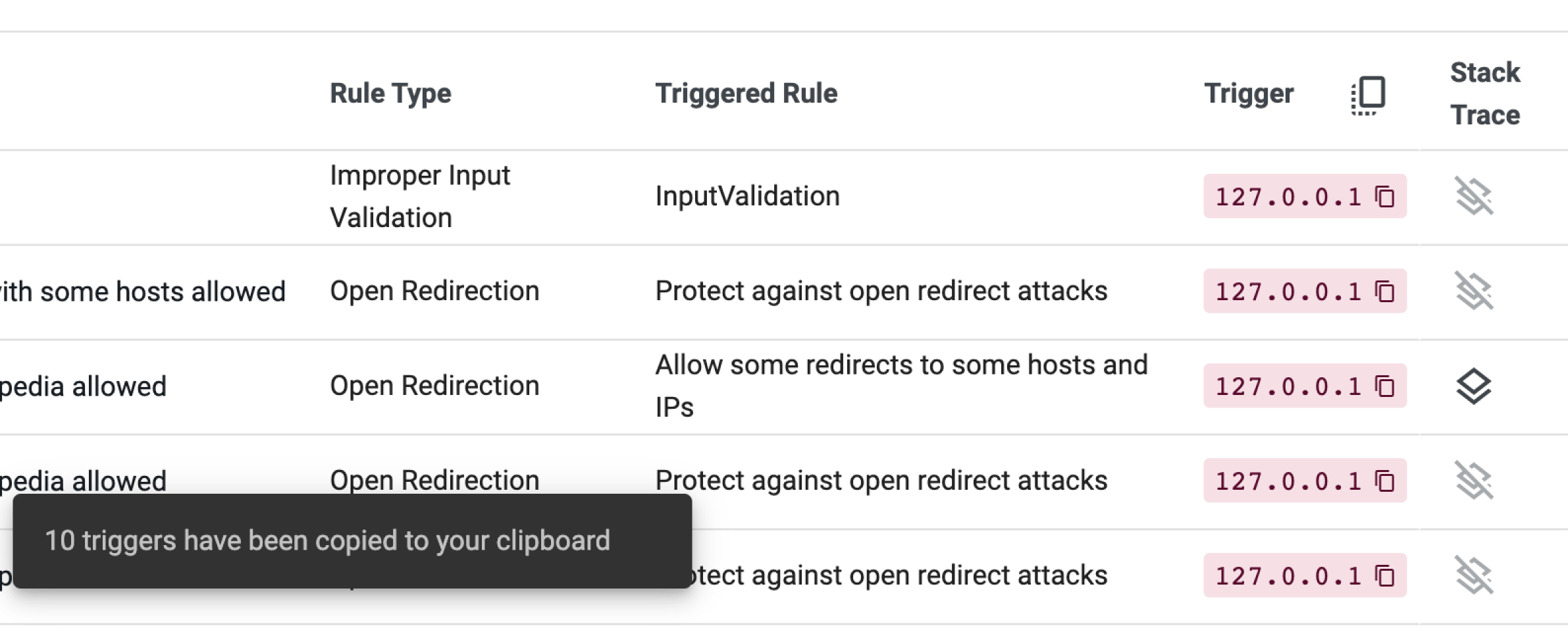
Advanced Search - Copy Triggers
We've added the ability to copy trigger addresses on the Advanced Search page. You can copy any individual trigger or select the ‘copy all' icon  at the top of the column to copy all trigger listed.
December 2022
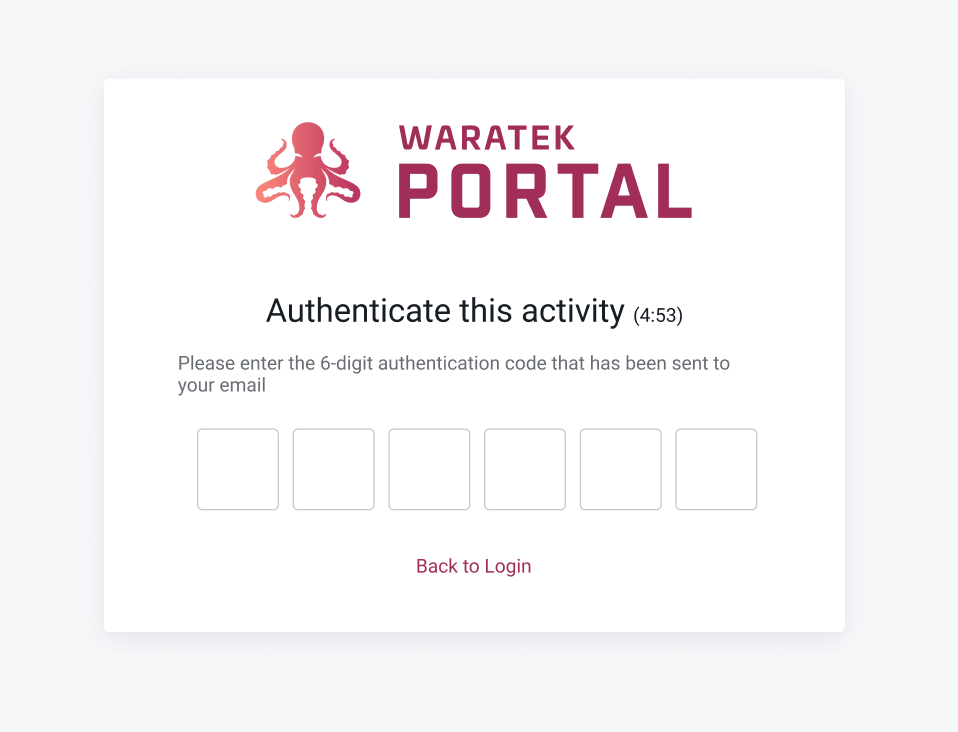
Two-factor authentication
We've added two-factor authentication to improve account security. This new passcode feature can be enabled in the Security Settings.
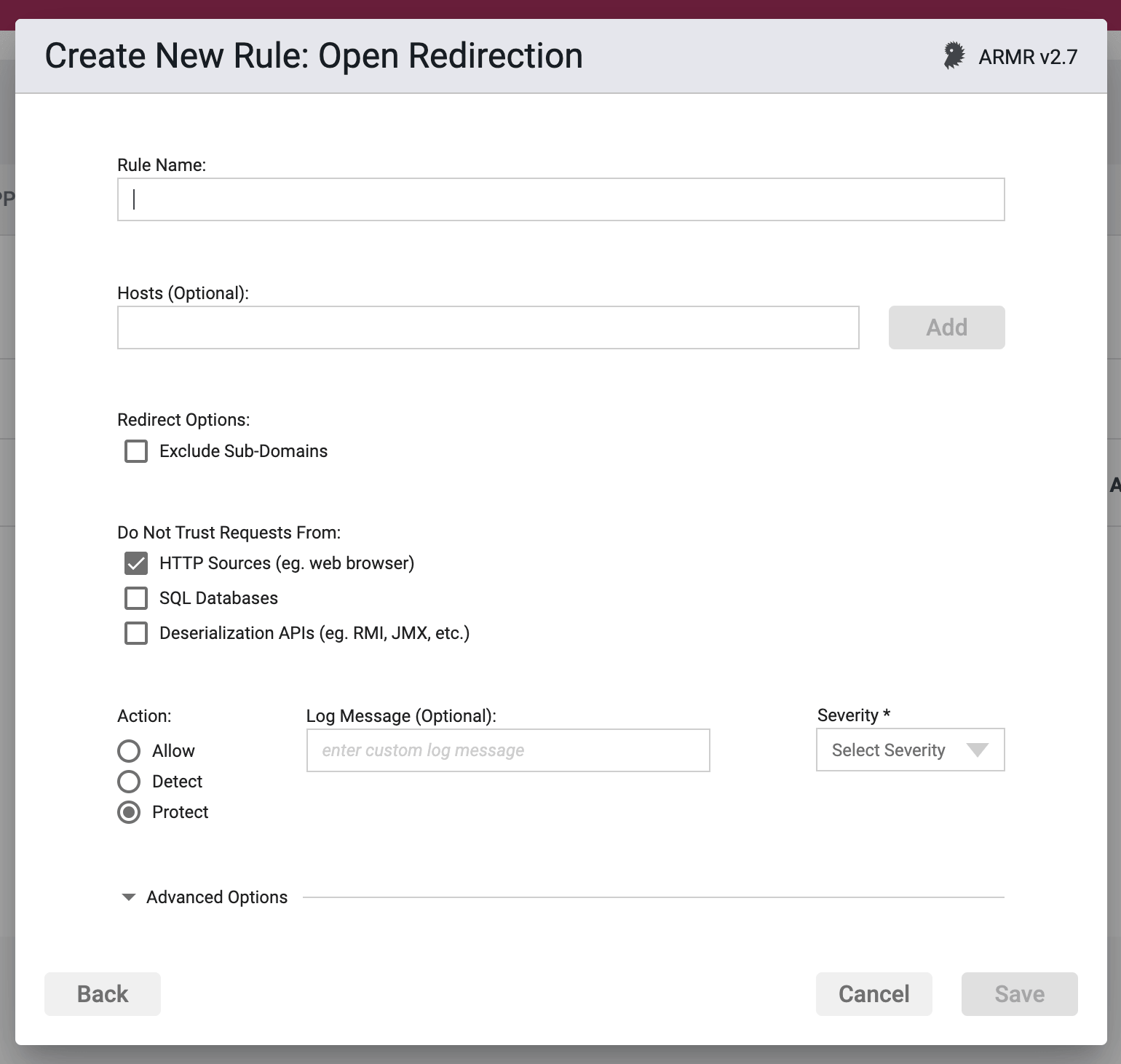
ARMR 2.7
We now support ARMR 2.7 in the Portal, powering additional action functionality for the Open Redirect rule. Read more about that in the Rules Wizard section of the User Guide.
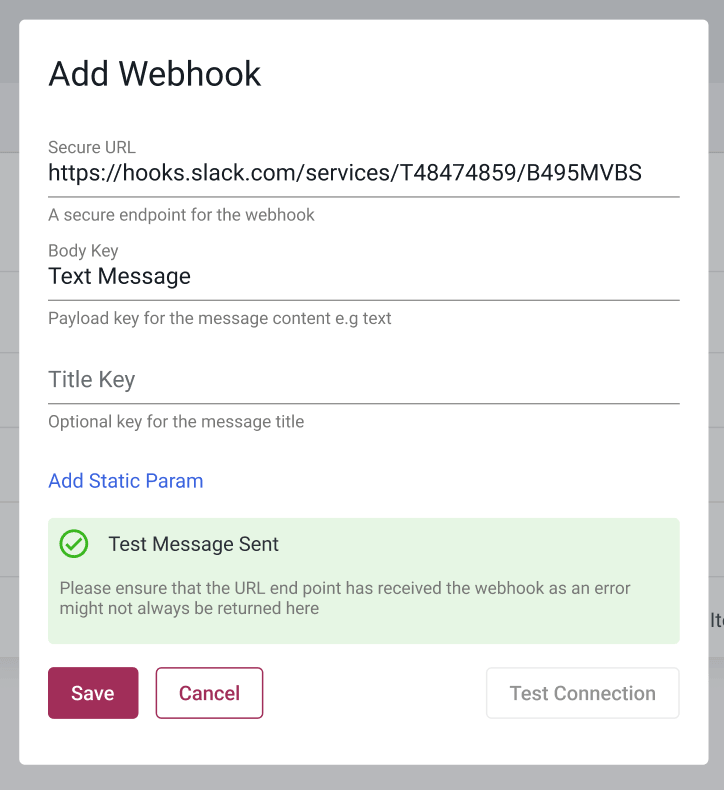
Webhook Testing
We've added the ability to test Webhook connection details before saving them to the Portal.
Tenable Integration
Our Tenable companion report now uses Tenable APIs as we moved away from the deprecated Java SDK.

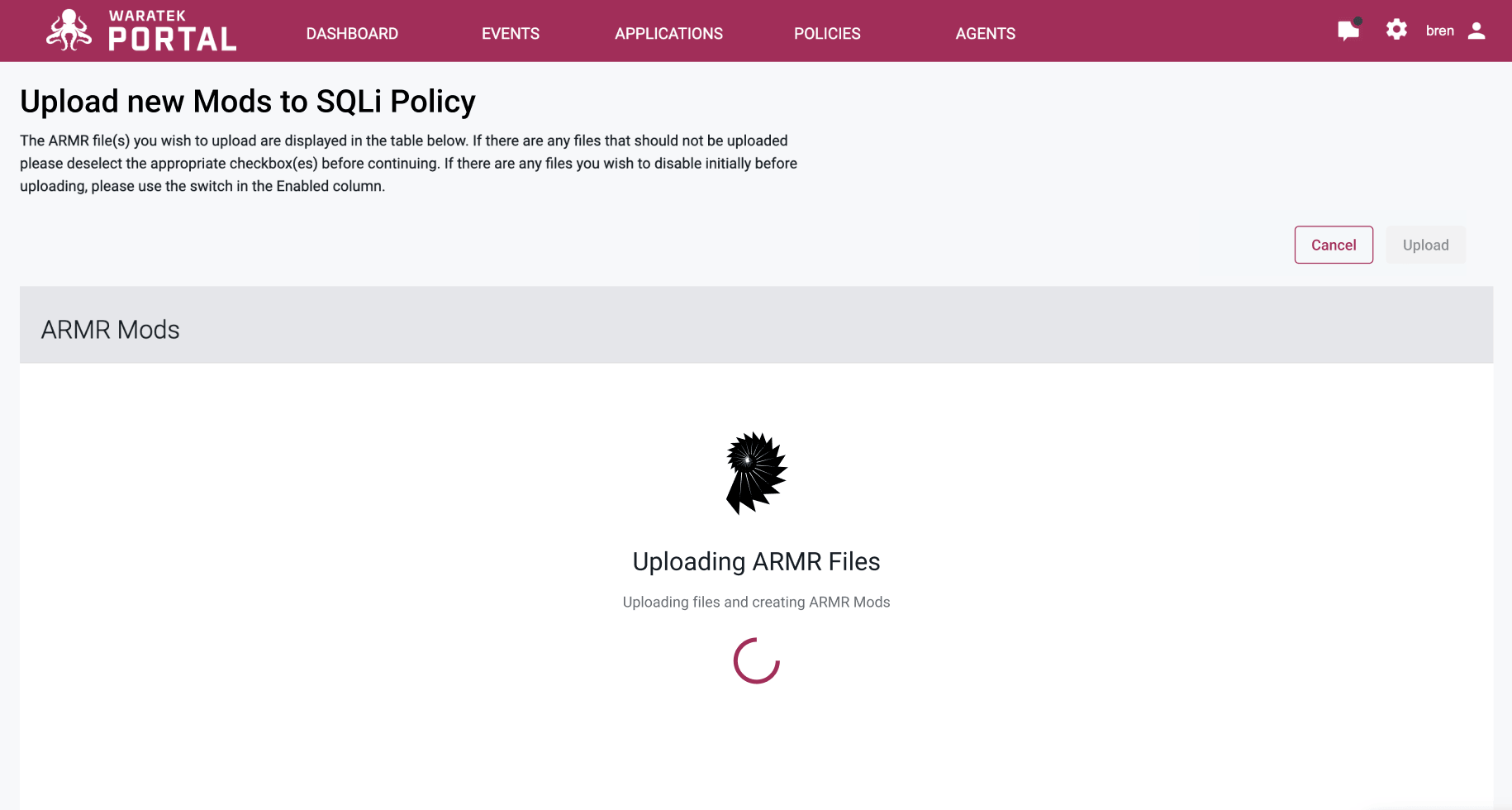
ARMR Upload Improvements
We have redesigned the experience for uploading ARMR Mods. Improvements include an enhanced performance with clear feedback messages and an upload limit of 1000 rules.
Cross-Site Request Forgery (CSRF) Rule - Whitelisting
The CSRF Rule now allows you to specify relative URIs that can be excluded from the rule's action; whitelisting all paths that are added in this field:

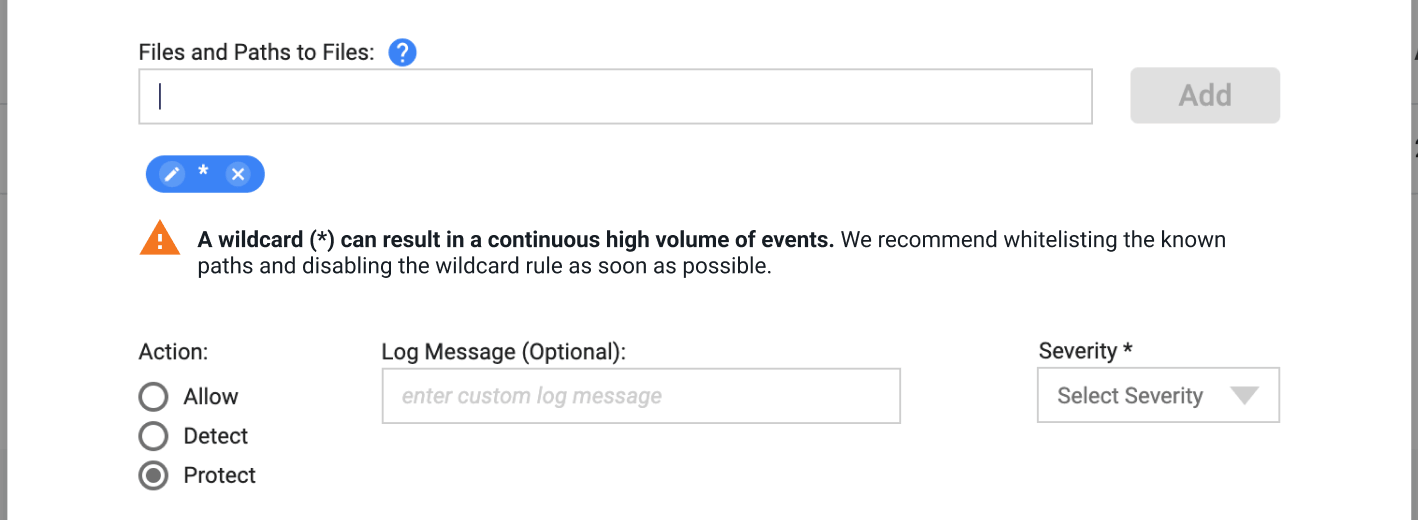
File Read/Write Rule - Wildcard path
The file rule is a very useful and powerful rule. Specifying a wildcard path in this rule can generate a high volume of events. We've added a guiding prompt to advise on best practice when adding this path in future.
October 2022
Brute Force Protection
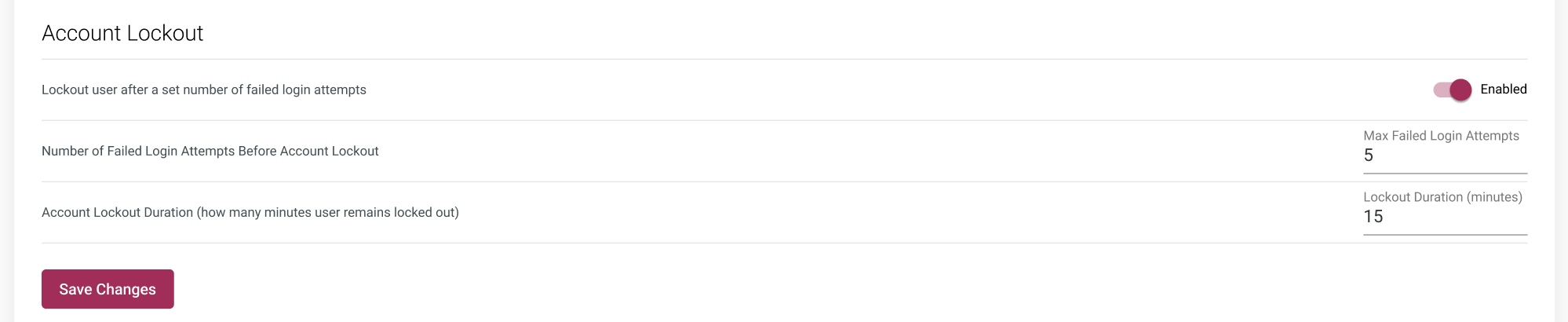
You can now lock out users when the exceed a maximum number of unsuccessful login attempts. You can apply your limits on the number of login attempts allowed and the length of time that a user is locked out for. Genuine account holders can bypass the lockout using the integrated email recovery process.
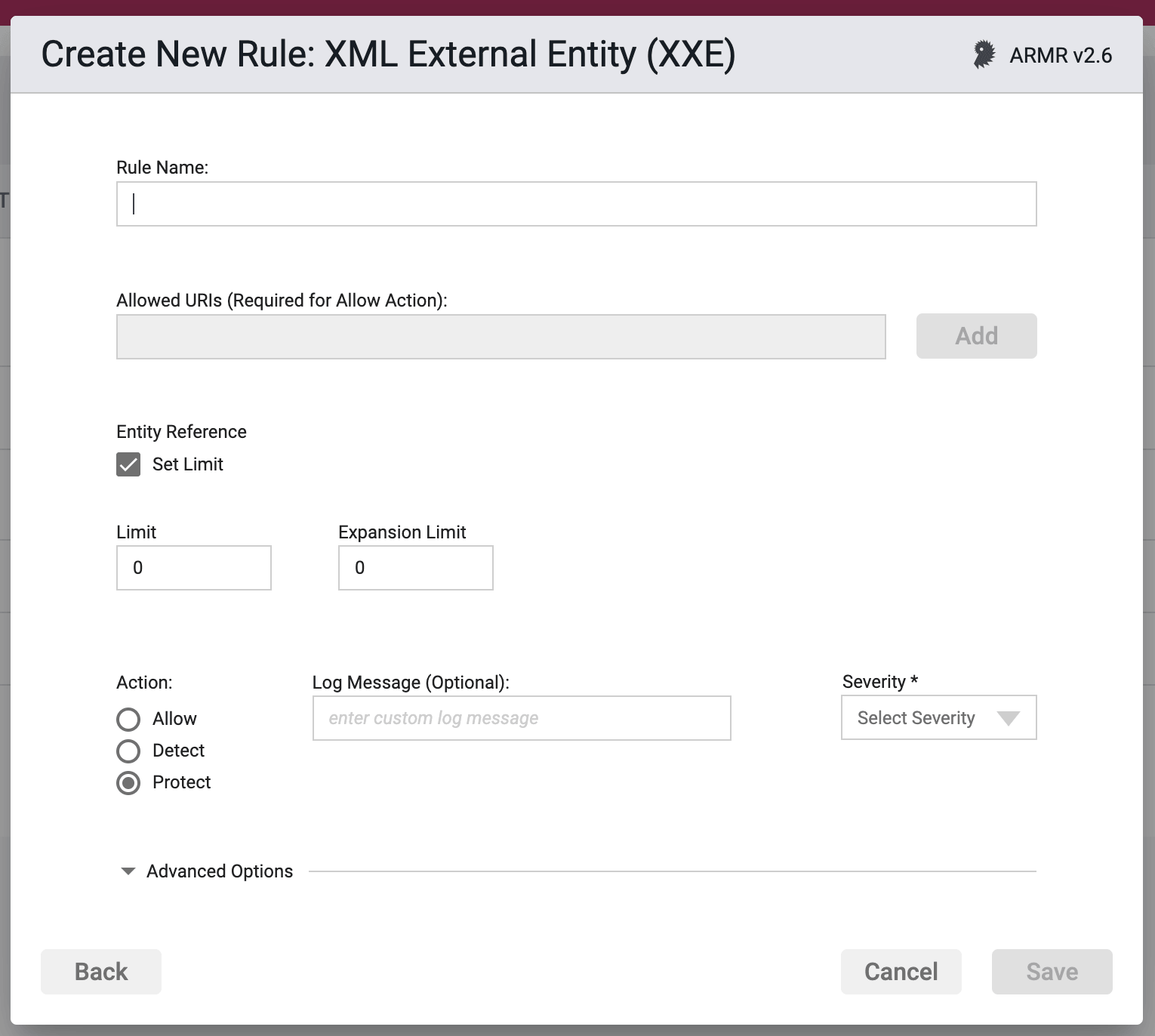
XML External Entity (XXE) Rule
We have added a new XXE Rule; offering protection if an XML being deserialized has come from a HTTP request. XXE Rules can now be created, edited and uploaded in the Portal
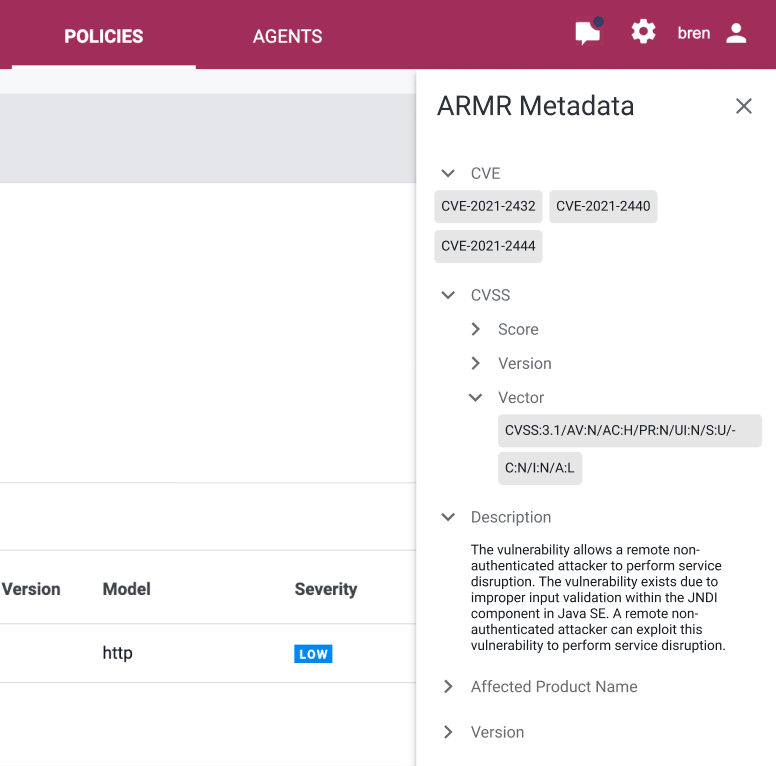
ARMR Metadata
We have introduced a visual record of a policy's metadata fields; this can be view at policy, mods and rule levels.
Proxy Support
We now support the ability for agents to connect to the Portal via a proxy. More details and an example can be found in Waratek's Java Products documentation.
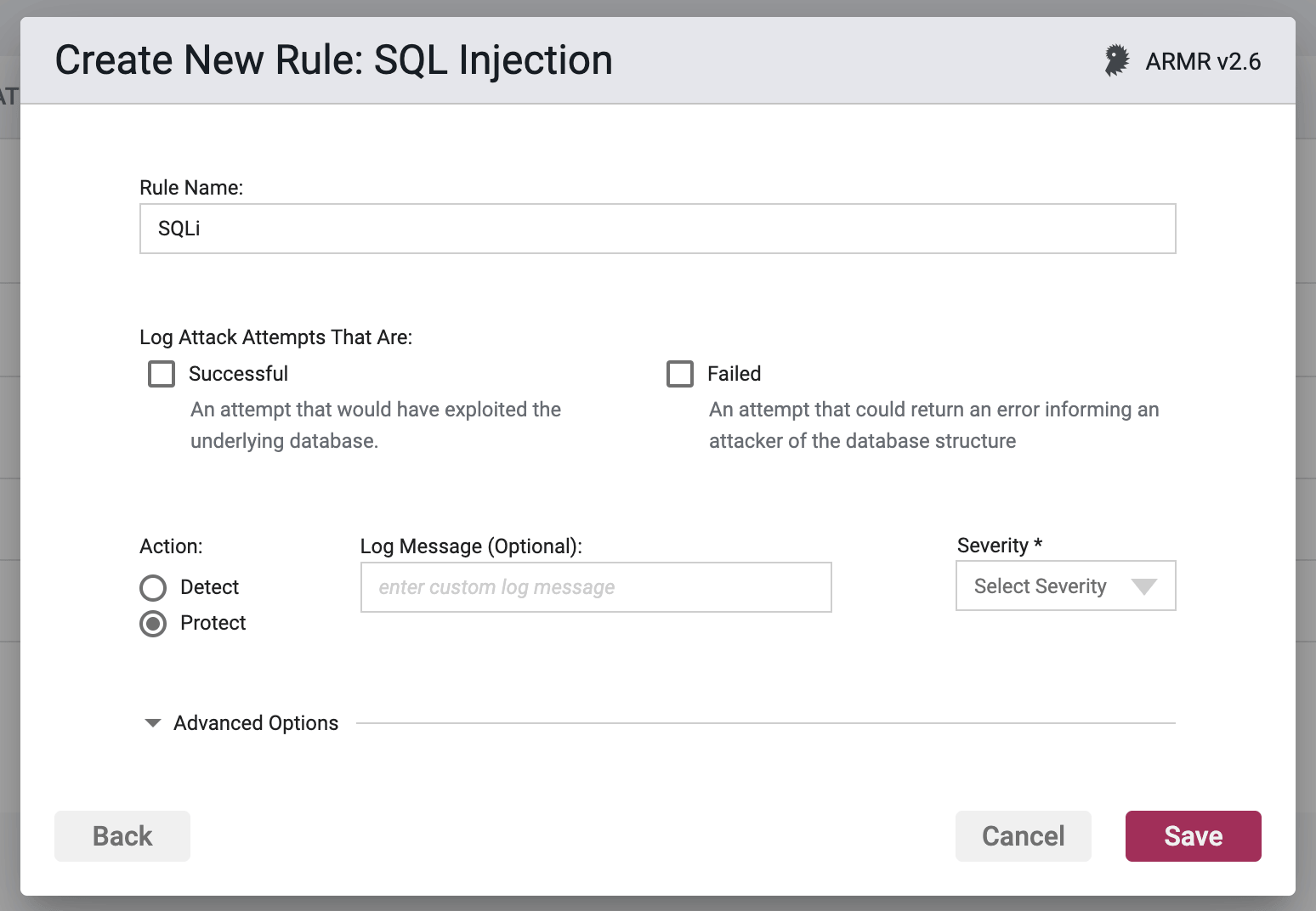
SQLi Rule Improvements
We have improved this rule form to clarify what inputs are required depending on the SQL attack type you are trying to address. When protecting your organization from successful attack attempts, failed attack attempts or both, the rule form will reveal only the input fields relevant to your needs.
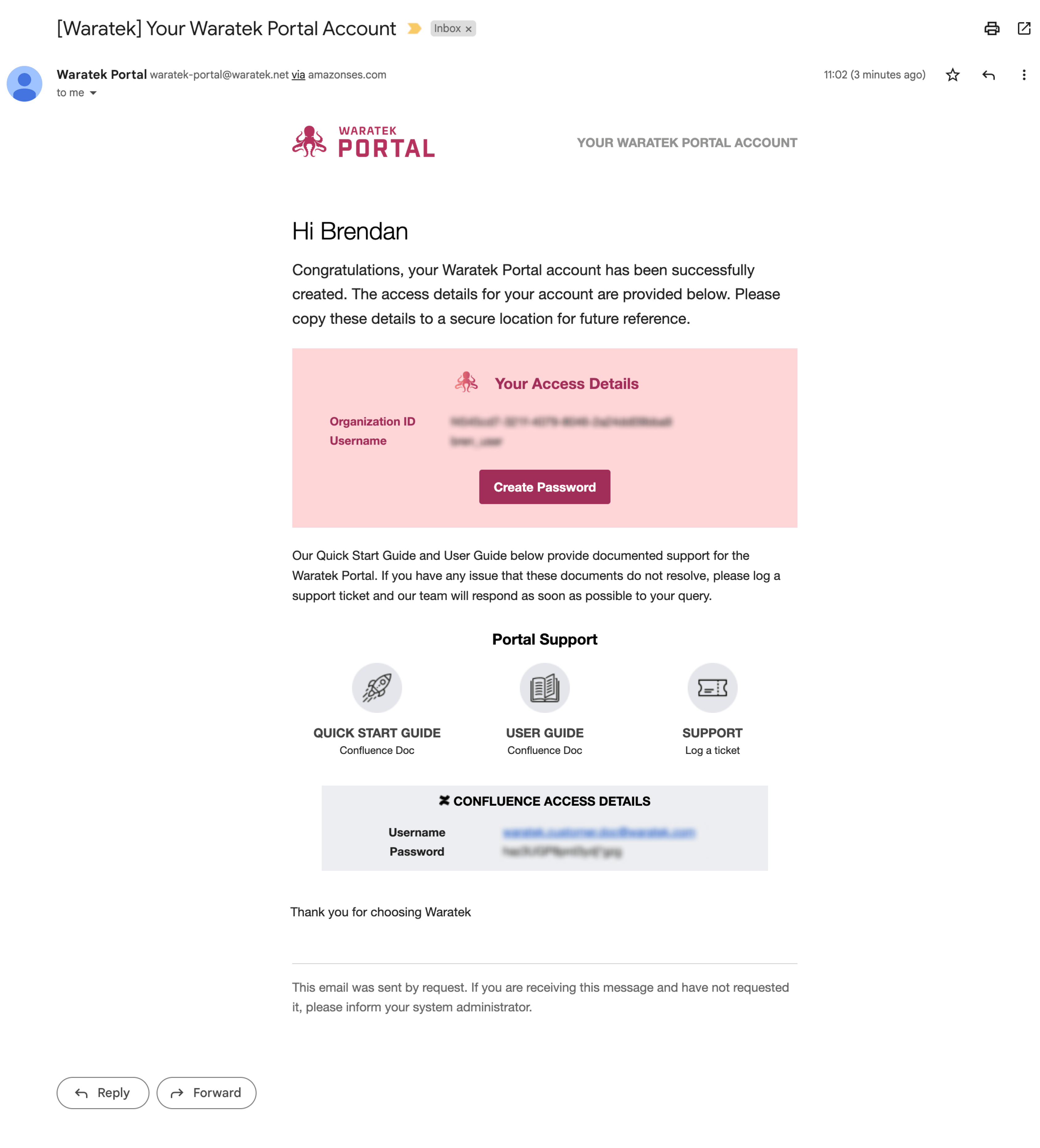
New User Onboarding
We have revamped the onboarding process for new account holders. Once a new account is created, a user now receives an onboarding email detailing their organization's login credentials, a button to create a personal login password and links to supporting documentation.
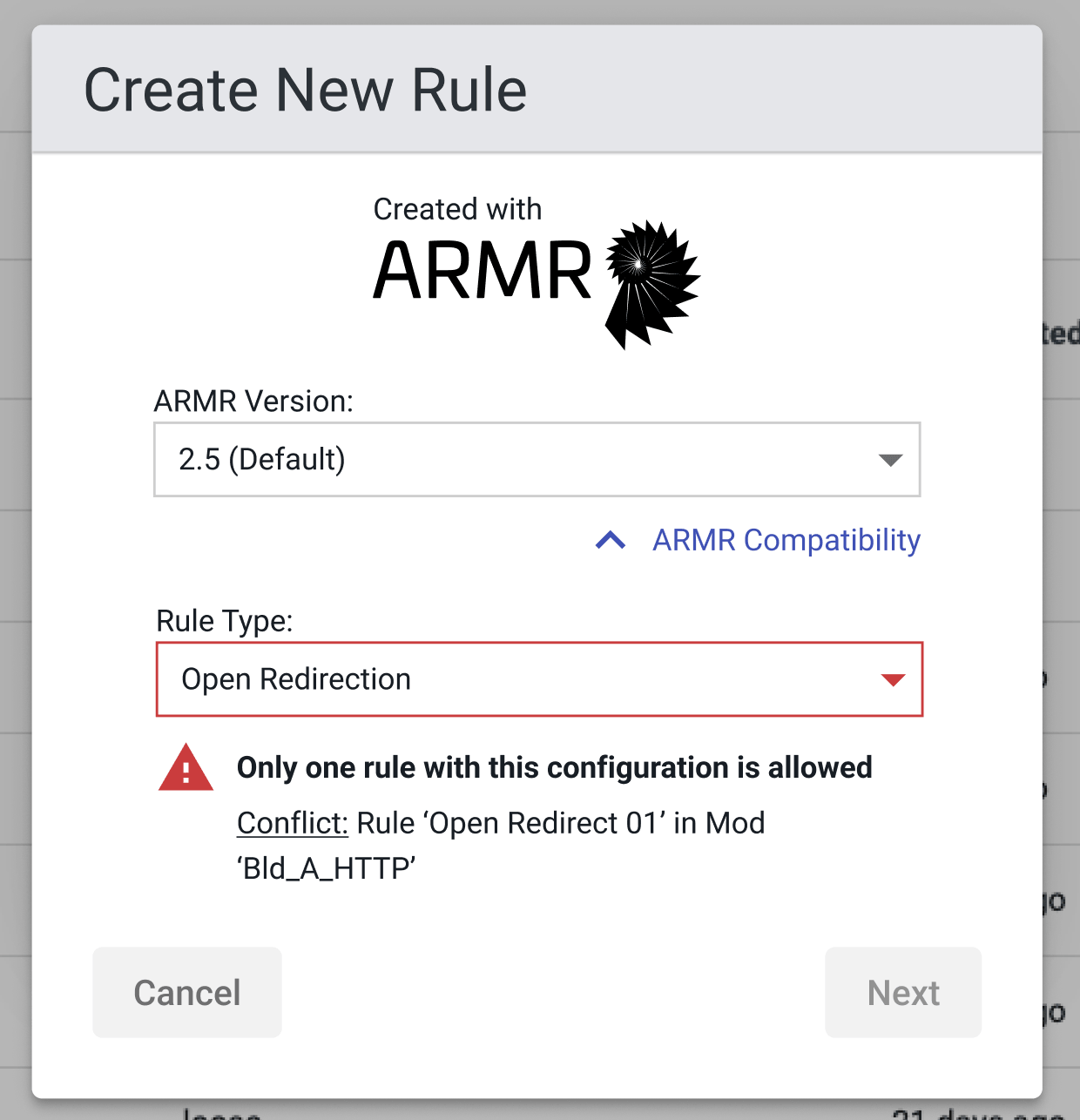
New Rule Errors
We have implemented a method to prevent the creation of more than one unique rule. Some rule types only support one instance of that rule configuration; we now restrict and notify users when these conflicts occur.
August 2022
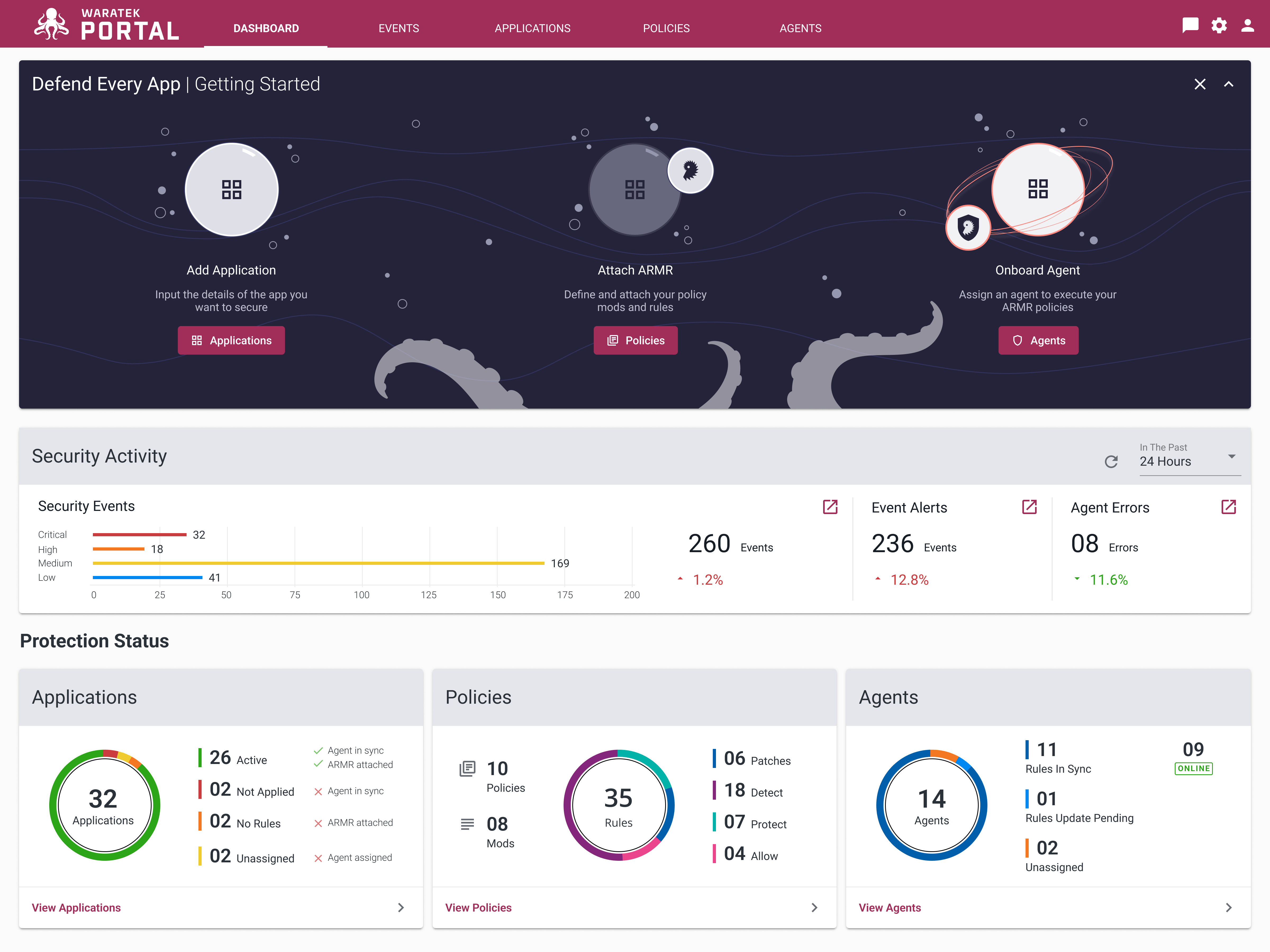
Dashboard
We have included a new landing page dashboard in this Portal release. This dashboard page provides a visual summary of security events and the protection status of applications, policies and agents. Also included is a simple visual prompt of how to get started for the uninitiated or infrequent user.
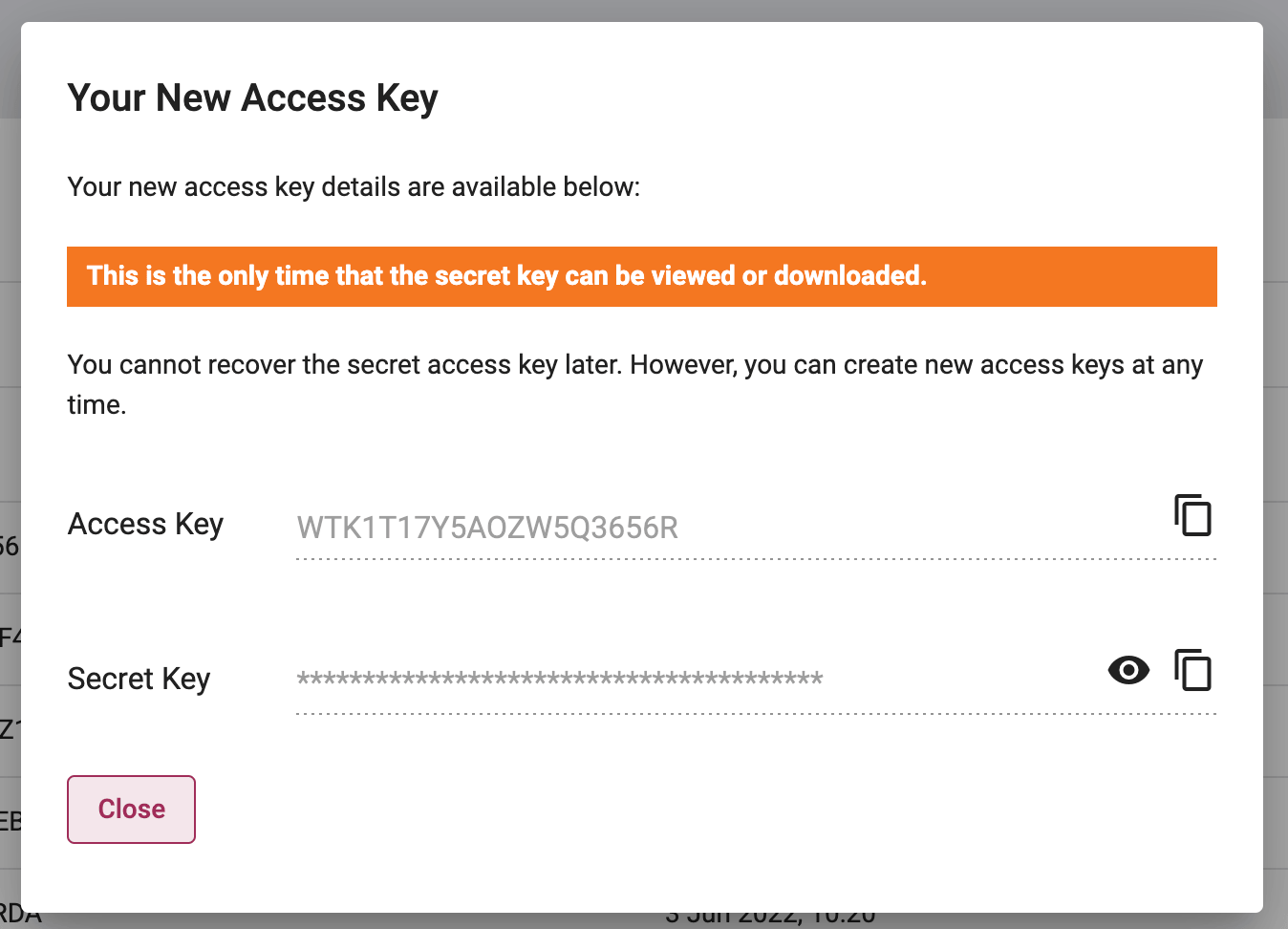
Agent Security: Access Keys
There is now a Credentials sub-tab within the Agents page that allows users to generate and manage secure secret keys and access keys as part of the Agent configuration process.
Attaching Applications & Assigning Agents
We've updated and aligned the processes of attaching applications and assigning agents within the interface. Both processes now follow the same flow and provide a clear separation of applications that are attached/detached and agents that are assigned/unassigned.
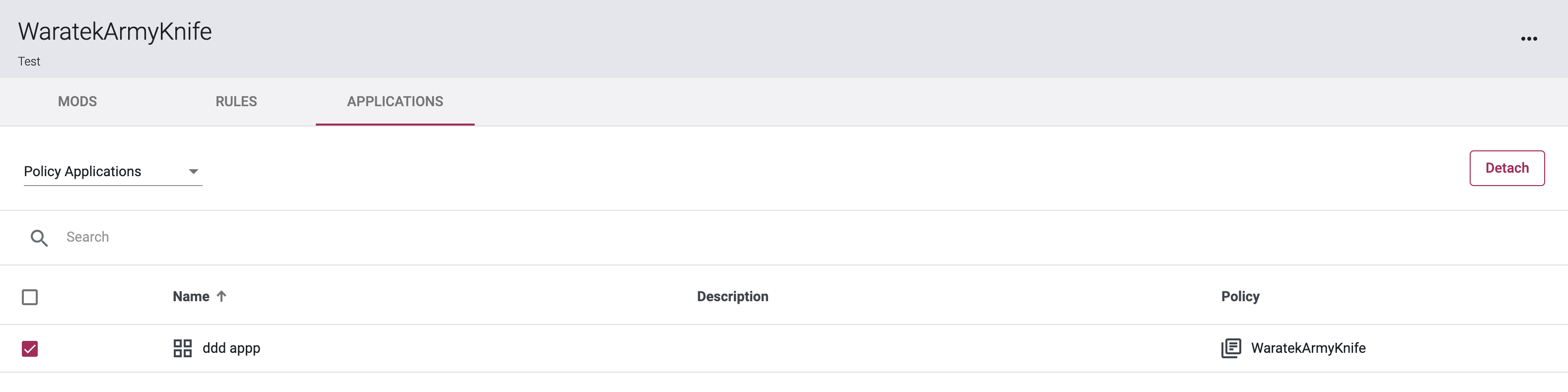
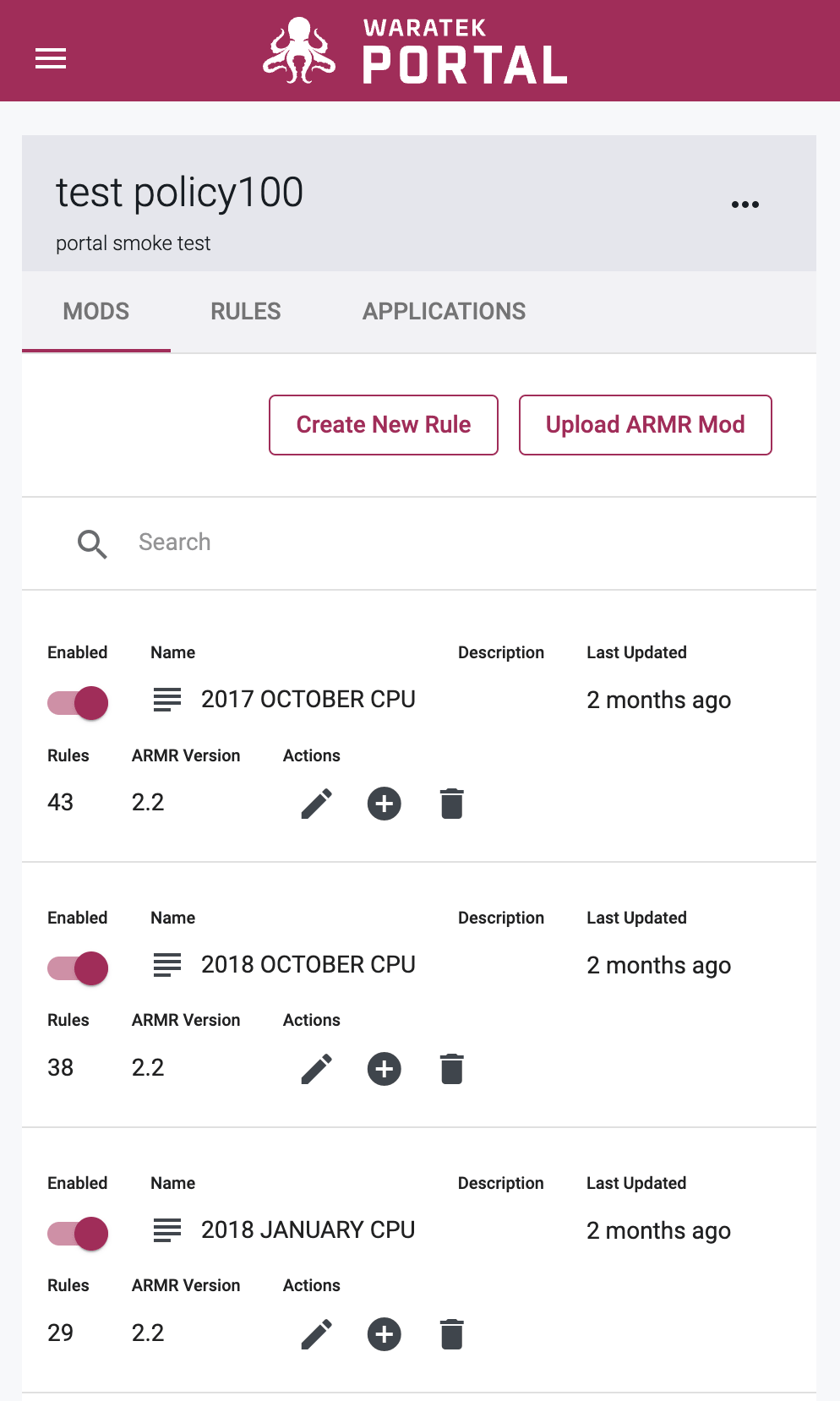
Low Resolution Tables
The tables in the Waratek Portal now scale gracefully to lower screen resolutions allowing users to view these tables in any browser screen size.
Rules Wizard - Paths can be edited
The Rules Wizard nows supports the option to edit any path saved to a file by clicking the edit  icon in the chip paths on screen.

Event Alert Emails - Unsubscribe
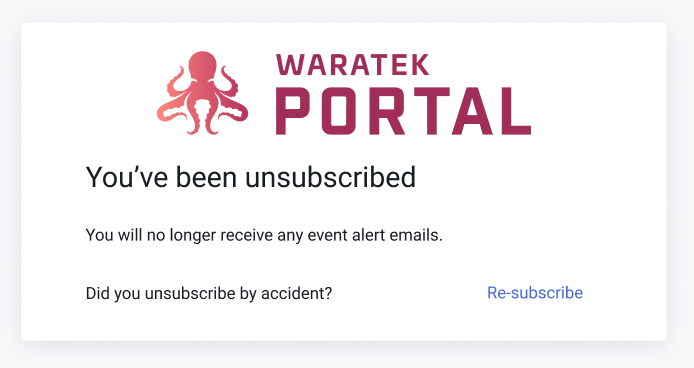
We have included a link in all future event alert emails to allow a user to unsubscribe from these emails.